A tenant moves out on Friday afternoon. The cleaner arrives Saturday, a contractor needs access Monday, and the next showing is scheduled for Tuesday. With traditional keys, that can mean duplicate copies, rushed rekeying, and uncertainty about who still has access. Landlord smart locks replace that routine with controlled, keyless entry that fits the pace of rental ownership.
For a single rental home or a small portfolio, the right lock can reduce turnover friction while giving tenants an easier daily entry experience. The best choice is not simply the lock with the longest feature list. It is the one that suits the door, the property type, the connectivity available, and the way access needs to be managed.
Why Landlord Smart Locks Make Sense for Rentals
A mechanical key is difficult to track once it leaves an owner’s hand. It can be copied without permission, misplaced by a tenant, or passed to a former roommate. Rekeying restores control, but it takes time and adds a recurring cost between tenancies.
A smart lock changes the access credential instead of the hardware. When a lease ends, the landlord can remove a code, delete a fingerprint, or revoke app permission. A new resident can receive their own unique entry method without waiting for a physical key exchange. That is a meaningful operational advantage, especially when turnovers happen quickly.
Smart access also supports the ordinary realities of a rental property. A time-limited code can be issued for a plumber, cleaner, property manager, or prospective tenant. Rather than leaving a key under a mat or arranging an in-person handoff, the owner can define when that code works and when it expires.
For tenants, the benefit is equally practical. Fingerprint recognition, PIN entry, cards, and mobile-app access reduce the chance of being locked out because keys were left at work or buried in a bag. A well-installed smart lock adds convenience without asking residents to become home-security experts.
Start With the Rental Property, Not the App
A smart lock should match the door and the property environment before features are considered. Apartment entry doors, exterior front doors, side entrances, and gates each have different installation and durability requirements.
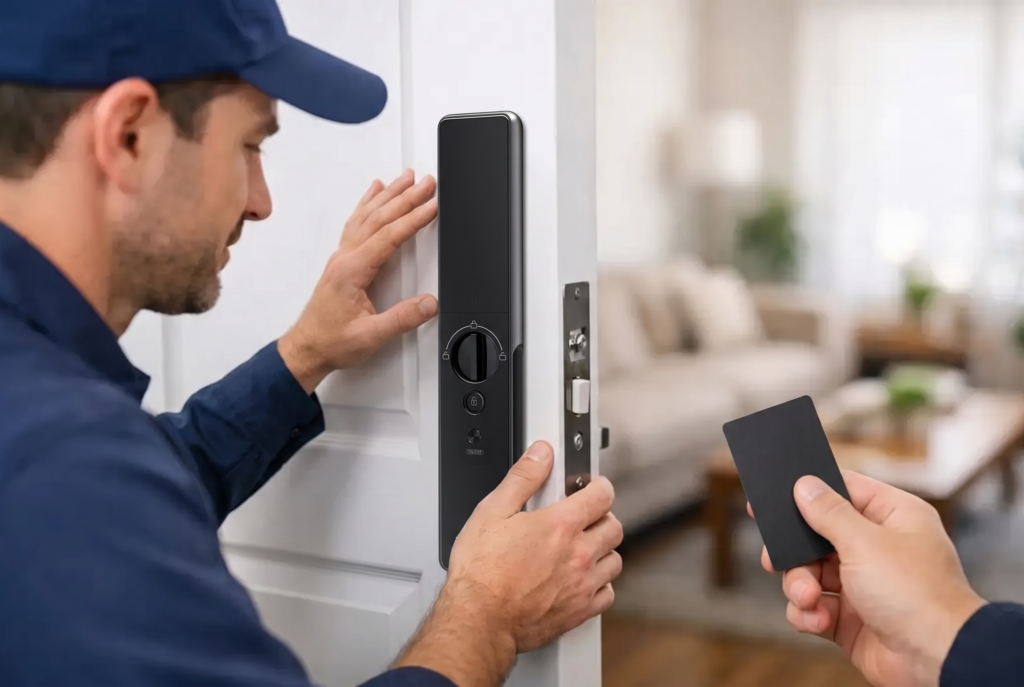
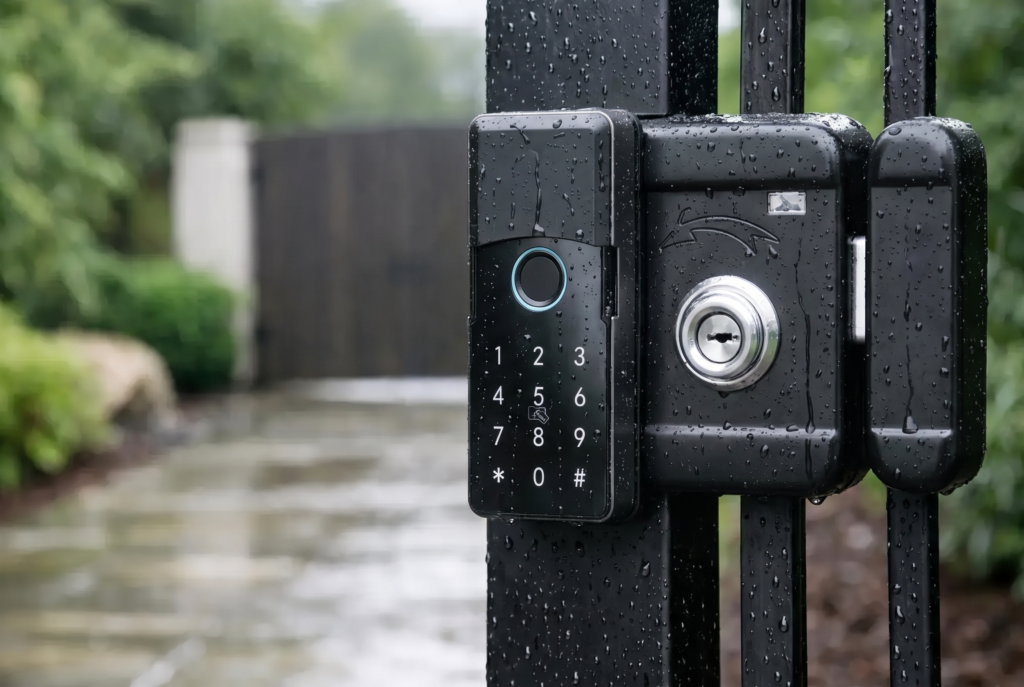
For a standard residential door, a mortise smart lock may offer a clean, integrated appearance with a handle, deadbolt function, PIN pad, and biometric reader in one system. A smart lever lock can be a practical option where a lever-style setup already exists. For properties with exterior gates, select a smart gate lock designed for outdoor exposure and check its weather-resistance rating before installation.
Door thickness, backset, handing, existing cutouts, and fire-rating requirements matter. In multifamily buildings, there may also be association or building-management rules that affect exterior hardware changes. A premium lock is not a good investment if it requires unsuitable modifications or compromises the door’s approved configuration.
The same care applies to emergency egress. Residents must be able to exit safely from the inside without relying on an app, a PIN, or a fingerprint. Always confirm that the lock configuration follows local building and fire-safety requirements. Smart access should improve control at the entry point, not introduce risk during an emergency.
Choose Access Methods That Fit Real Use
The most useful landlord smart locks provide more than one way to enter. Battery-powered keyless locks should continue operating at the door even when internet service is interrupted, while app connectivity adds remote administration when it is available.
Fingerprint access is convenient for long-term residents who want fast entry without memorizing codes. PIN codes are flexible for tenants, household members, and short-term service visits. Mobile-app access can be valuable for owners who manage entry remotely, while RFID cards may suit residents who prefer a simple tap-to-enter option.
A mechanical backup key can still have a role, but it should not be the primary management plan. If the lock includes an emergency key override, decide who holds that key and document the process. For many rentals, a secure emergency procedure is more useful than distributing multiple physical copies.
Avoid assigning one shared code to everyone. Unique credentials create clearer accountability and make access changes easier. If an owner, contractor, and tenant all use the same PIN, there is no reliable way to know whose access should be removed later.
Wi-Fi, Bluetooth, and Remote Control
Connectivity is helpful, but it is not identical across every lock. Bluetooth-based locks typically require a nearby phone for direct control, while Wi-Fi-enabled models can support remote settings and notifications through an app. Some systems use a separate bridge or hub to provide remote functionality.
For a rental owner, remote control is most valuable when it solves a specific problem: issuing a temporary code from another location, confirming a door was secured, or checking an entry record after a scheduled service visit. It should not become a reason to monitor tenants unnecessarily. Privacy expectations and local regulations should guide how audit information is used and retained.
Reliable Wi-Fi near the entry point is essential if remote features are a priority. In a detached home, gate, or building with weak signal coverage, an installer may need to assess placement and connectivity before promising app-based performance.
Create an Access Plan Before Installation
The lock is only one part of rental security. The real value comes from setting clear access rules that can be repeated at every turnover.
At move-in, create separate credentials for each authorized resident. Explain how to change the PIN, use biometric entry, monitor battery alerts, and use the approved backup procedure. Put these expectations in the lease or move-in guide, including whether tenants may add guests, temporary codes, or additional fingerprints.
For vendors, use temporary access whenever possible. A code for a scheduled maintenance window is safer than a permanent code that remains active long after a repair is complete. If a property manager needs continuing access, give them an individually assigned credential rather than sharing the owner’s account.
At move-out, remove all resident fingerprints, PINs, cards, and app permissions before the property is shown or cleaned. Review temporary credentials as well. This process should be as routine as checking smoke alarms and documenting the unit condition.
A simple access plan should cover these four groups:
- Residents with individual, ongoing credentials
- Owners or property managers with separate administrative access
- Contractors and cleaners with time-limited access
- Emergency contacts with a documented, tightly controlled backup option
This structure keeps access organized without making the system difficult for tenants to use.
Security Features Worth Paying For
Not every feature has equal value in a rental. Prioritize the protections that address common risks at an exterior door: forced entry attempts, repeated incorrect PIN attempts, lost connectivity, and depleted batteries.
Look for anti-peep PIN entry, which lets a user enter extra digits before or after the real code so nearby observers cannot easily identify it. Auto-lock settings help when residents forget to secure the door, although the timing should be chosen carefully. A very short setting may frustrate someone carrying groceries or stepping outside briefly.
Tamper alerts can notify an authorized administrator when the lock detects unusual interference. Some locks also provide a privacy mode that limits exterior authentication while someone is inside. This can be useful in owner-occupied settings, but landlords should be cautious about any feature that could interfere with legitimate tenant access or emergency procedures.
Battery management deserves special attention. Choose a lock that provides clear low-battery warnings well before power is depleted, and explain to tenants what those alerts mean. Many quality models offer an emergency external power option for a temporary recovery if batteries run out. Keep the correct batteries on hand and make replacement responsibilities clear in the lease.
For higher-risk entries, pair the smart lock with a video doorbell viewer or connected camera system where legally appropriate. Two-way audio, visitor alerts, and recording can provide useful context at a front door, but placement must respect tenant privacy. Interior cameras in rental living spaces are not an acceptable substitute for good access control.
Professional Installation Protects the Investment
A smart lock can appear straightforward, yet alignment is critical. If the latch, bolt, strike plate, and door frame do not meet correctly, the lock may drain batteries faster, fail to auto-lock consistently, or experience unnecessary wear. That is why professional installation is particularly valuable for rental properties.
An experienced installer can verify door compatibility, set the handing, test every access method, and confirm that the mechanical operation is smooth. They can also help configure app permissions and demonstrate the system to the owner or property manager. For outdoor gates, correct fitting and weather protection are especially important because moisture, heat, and misalignment can shorten hardware life.
Local warranty and after-sales support matter as much as the initial installation. A rental property cannot wait through a lengthy support cycle when a tenant has an entry issue. Choose a provider that can service the lock, advise on battery or connectivity concerns, and support the product after handover.
The strongest rental setup is not the one with the most technology. It is the one that gives residents a simple, dependable way home while allowing the owner to manage every change of access with confidence.