A front door should not create a daily bottleneck. When you are carrying groceries, arriving home with children, or letting in a trusted service provider, a smart lever lock replaces the key search with a familiar handle and secure keyless entry. It keeps the comfortable, intuitive operation of a lever while adding the access choices modern households expect: fingerprints, passcodes, app control, temporary credentials, and, on selected models, cards or face recognition.
For many homes, the appeal is immediate. A lever is easy to grip and operate with one hand. The smart technology behind it gives homeowners more control over who enters, when they enter, and whether the door was secured afterward. The right model, however, depends on where the lock will be installed, how the door is built, and the level of physical security the opening requires.
What a smart lever lock changes at the door
A traditional lever lock uses a mechanical key and a spring latch. A smart lever lock retains the lever format but adds an electronic authentication system. After a valid fingerprint, PIN code, card, or mobile credential is recognized, the lock releases so the handle can retract the latch.
That distinction matters. A smart lever lock is usually designed around a latch mechanism, while a deadbolt uses a solid bolt that extends into the frame. On many exterior doors, a lever lock works best alongside a separate deadbolt or as part of a lockset designed specifically for that door. On bedroom doors, home offices, utility rooms, internal access doors, and certain side entries, a smart lever may be the practical primary solution.
The result is not simply a more high-tech handle. It is a better access routine. Family members can enter using the method that suits them, without passing around spare keys or hiding one outside. You can remove a former tenant’s code, create time-limited access for a cleaner, or review activity through a compatible app where the model supports event records.
Where a smart lever lock makes the most sense
Lever-style smart locks are particularly useful at doors used often by people who need quick, uncomplicated entry. A home office may need privacy during working hours without making it difficult for the homeowner to enter later. A garage-to-home door can benefit from a personal fingerprint or PIN, especially when keys are often left in a vehicle. A side door can be more convenient for family arrivals, provided the surrounding door and frame have appropriate security hardware.
They also suit households that want a consistent access experience across several doors. Rather than relying on different physical keys for bedrooms, storage areas, and secondary entry points, an owner can administer credentials by person and by door. This is valuable for landlords and small property managers as well. When occupancy changes, changing digital access is generally faster and more accountable than collecting and rekeying every issued key.
Still, installation location should lead the decision. A lock’s electronics cannot compensate for a weak hollow-core door, loose hinges, a shallow strike plate, or an exposed glass panel beside the handle. For an exterior opening, assess the complete door assembly and local code requirements. If the door needs deadbolt-level resistance, choose a compatible deadbolt arrangement or a purpose-built smart mortise solution rather than expecting a standard latch to do a different job.
Choose entry methods your household will actually use
A premium smart lock should offer convenience without forcing everyone into one routine. Fingerprint access is often the fastest option for adults and older children. It is especially useful when hands are full, and it avoids the risk of a PIN being observed from nearby.
Passcodes remain valuable as a universal backup. They work for guests, family members whose fingerprints are not enrolled, and approved visitors who do not need an app. Look for the ability to create separate codes instead of sharing one household number. Individual credentials make it easier to remove access without disrupting everyone else.
App access adds control, but connectivity needs to match your expectations. Some locks connect directly by Bluetooth for nearby management, while others use Wi-Fi or a bridge for remote access and notifications. Remote features can be useful when you need to issue a temporary code away from home, but they also depend on stable network setup and good battery management.
A physical emergency key is worth considering too. It is not a step backward. It is a sensible contingency for a drained battery, a phone left behind, or an unexpected technical issue. Keep any backup key in a secure, separate location rather than under a mat or in an obvious outdoor hiding place.
Look beyond the feature list
Two smart lever locks can appear similar online but perform very differently after installation. Start with fit. Measure the door thickness, backset, existing bore holes, handing, and clearance around the lever. Some doors require specific hardware preparation, and an old lock’s footprint may leave visible marks that a new escutcheon does not cover.
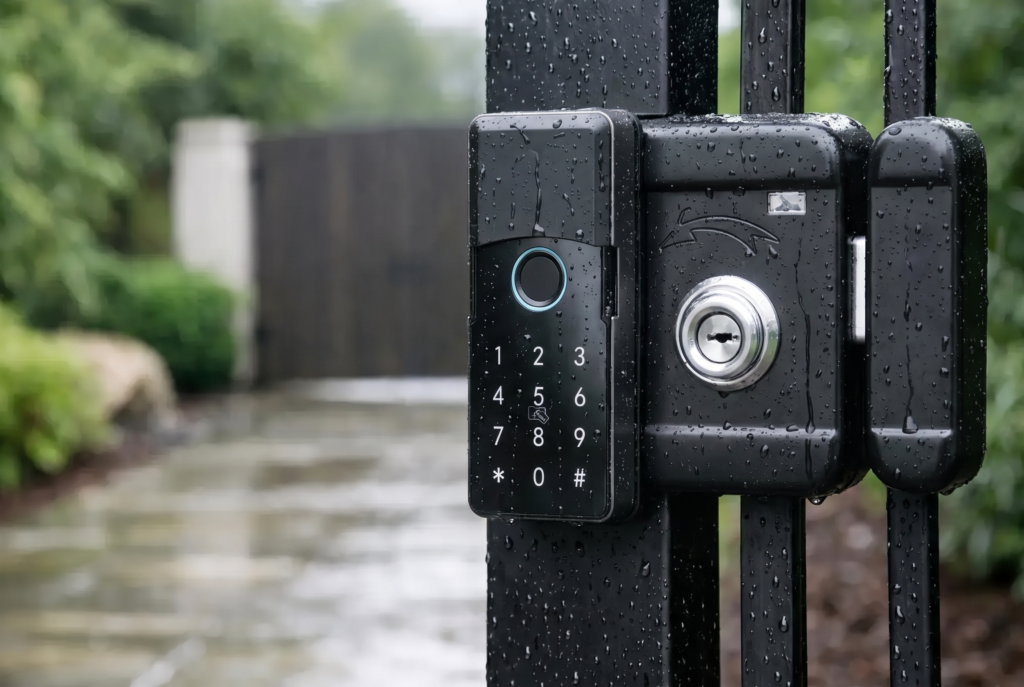
Then consider the environment. A lock on an interior office door has very different needs from one installed at an exposed gate or side entrance. Outdoor-facing products should have suitable weather protection, corrosion-resistant materials, and an IP rating appropriate for their location. An IP rating indicates resistance to dust and water intrusion, but it does not mean every installation can withstand direct rain, high-pressure cleaning, or prolonged sun exposure.
Battery behavior deserves the same attention as authentication methods. Quality smart locks provide low-battery alerts before power is depleted. Check whether alerts appear on the lock, in the app, or both, and understand the emergency-power option if available. Most households will find routine battery replacement simple, but it should be part of regular home maintenance rather than an afterthought.
Finally, ask how the lock behaves after entry. Does it automatically relock? Does it alert you if the door is left ajar? Can you set a privacy mode for an interior room? These details determine whether the lock fits the rhythm of your household or creates new habits to remember.
Smart access needs physical security too
Connected access is strongest when digital and mechanical protection work together. Use a reinforced strike plate with long screws anchored into the wall framing where appropriate. Confirm that the door closes cleanly and that the latch fully engages. A door that is misaligned can cause premature battery drain, unreliable locking, and avoidable wear on the mechanism.
For exterior use, consider the lock’s security grade, construction, and compatibility with your existing deadbolt. The correct answer may be a smart lever paired with a deadbolt, or it may be a fully integrated mortise lock depending on the door design. It depends on the opening, the building’s requirements, and the level of protection needed.
Digital habits matter as well. Use unique administrator credentials, change default settings during setup, and only grant remote access to people who genuinely need it. If a lock supports activity notifications, configure them thoughtfully. Constant alerts can become noise, while alerts for unusual hours or temporary access codes can provide useful reassurance.
Why professional setup makes a difference
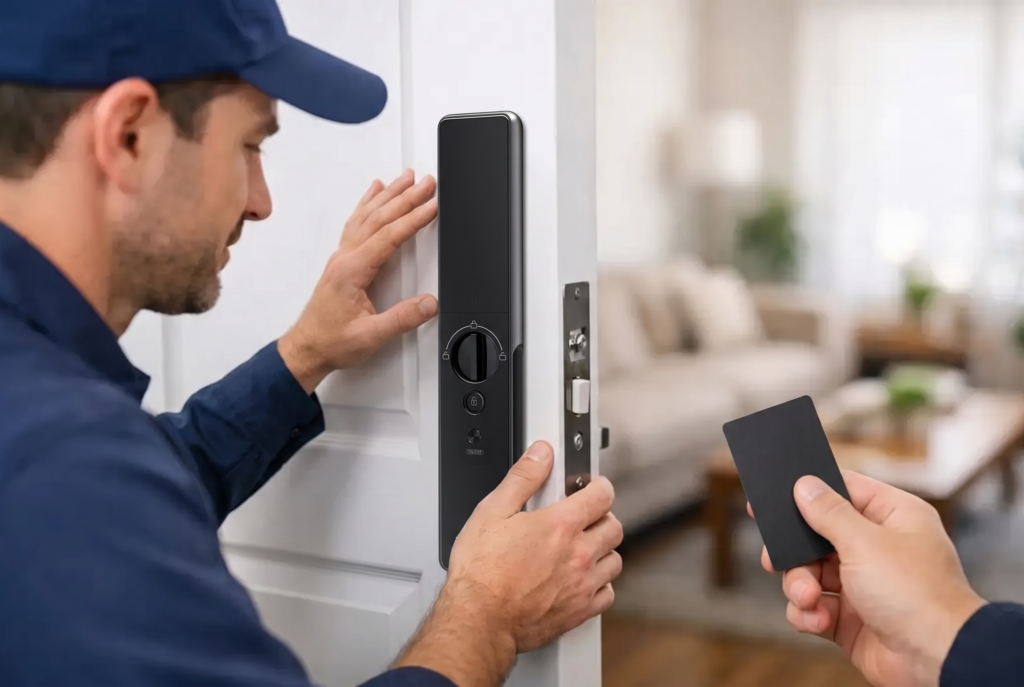
Smart locks are consumer-friendly devices, but doors are not standardized in the way phones are. A professional installation can identify alignment issues, check compatibility before drilling, position the lock correctly, and test every entry method before the job is complete. This is especially valuable for mortise doors, gates, older properties, and doors with multiple existing locks.
Professional support also makes the handover more useful. Every household member should know how to enroll a fingerprint, use a backup PIN, recognize a low-battery warning, and operate the mechanical override if needed. The goal is not to fill the door with technology. It is to make entering and securing the home feel natural from the first day.
Genesis approaches smart access as a complete home-security upgrade, pairing connected lock options with installation, warranty coverage, and after-sales assistance. That support is important because the best lock is the one that fits the door correctly and continues to work dependably long after installation day.
A smart lever lock is a compelling choice when you want the ease of a handle with more control over household access. Start with the door, choose the security level it calls for, and select entry methods that make life easier for the people who use it every day. When the hardware, installation, and access plan work together, coming home becomes one less thing to think about.