A digital lock can look perfect in a product photo and still be the wrong choice for your home. The deciding details are often hidden in plain sight: your door thickness, lock body, handle position, gate exposure, and how your household actually enters each day. This residential digital lock compatibility guide helps you identify those details before choosing a smart lock, so your upgrade delivers convenient keyless access without compromising fit, security, or daily reliability.
For most homeowners, compatibility is not about finding a lock that simply powers on. It is about choosing a complete access solution that works with the door or gate you already have, the people who use it, and the level of control you expect.
Start With the Door, Not the Features
Fingerprint recognition, mobile app access, PIN codes, and face recognition can make daily entry faster. But first, the lock must be suitable for the physical structure it will protect. A professional assessment begins with the material of the door: wood, metal, aluminum, composite, glass-frame, or another construction.
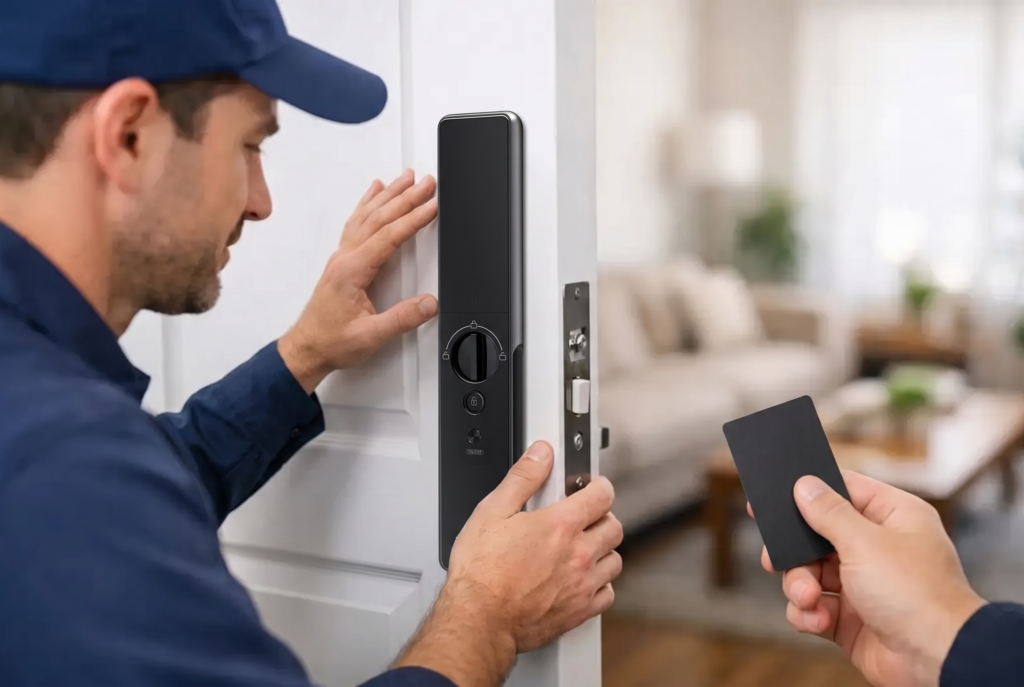
Door thickness matters because digital lock bodies, mortise cases, spindles, and mounting screws are built for specific ranges. A lock that is designed for a standard residential door may require different parts or may not be appropriate for a particularly thin, thick, or reinforced door. The installer also checks whether the door is solid enough to support the lock securely and whether existing holes can be used, modified, or need careful covering.
The door swing is equally significant. Is it left-hand or right-hand opening? Does it open inward or outward? Many smart locks can be configured for different handing, but the lock, handle, and latch must still operate cleanly without hitting a wall, grille, or neighboring fixture. A lock should never force a homeowner to accept an awkward handle direction or reduced opening angle.
Measure the Existing Lock Layout
If you are replacing a mechanical mortise lock, the existing mortise pocket inside the door is one of the first items to inspect. Mortise locks use an internal lock case rather than a simple surface-mounted deadbolt. Its dimensions, the distance from the door edge to the handle center, and the placement of the cylinder all influence which replacement options are practical.
A digital mortise lock can be an excellent upgrade for a main entrance because it combines the latch, handle, and locking function in one integrated unit. However, not every mortise opening is identical. Choosing a model without checking the old lock body can lead to unnecessary drilling, visible gaps, or a poor finish around the new hardware.
For doors using a separate deadbolt and handle, a smart deadbolt or digital lever lock may be more suitable. The right configuration depends on whether you want to retain the existing handle, replace it for a coordinated look, or move to an all-in-one locking system.
Residential Digital Lock Compatibility Guide for Entry Types
Your entry point determines much more than the lock shape. It affects weather requirements, connectivity, user access methods, and the installation approach.
Main Entrance Doors
A front door typically benefits from the broadest range of access options. Families often choose fingerprint access for fast entry, PIN codes for children or trusted visitors, and app-based controls for remote management. For this location, consider how many users will be enrolled and whether temporary passcodes would simplify access for cleaners, caregivers, or deliveries.
A fully automatic mortise lock offers a premium experience when you want the door to lock automatically after closing and support hands-free or one-touch operation, depending on the model. A semi-automatic lock may suit homeowners who prefer a more familiar action while still gaining biometrics and digital credential control. Neither option is universally better. The right choice comes down to daily habits, door suitability, and the level of automation you want at the entry.
Apartment and Condo Doors
Apartment doors may have building management rules, fire-rated specifications, door viewers, or shared corridor considerations. Before installation, confirm that modifications are permitted and that the selected lock will not interfere with the door closer, peephole, decorative paneling, or required hardware.
A digital lock should also maintain dependable access even when internet service is unavailable. Fingerprint, PIN, RFID card, and mechanical emergency key options vary by model, but local access methods provide valuable reassurance for a primary home entrance. Wi-Fi features add remote visibility and control; they should complement reliable on-door entry rather than become the only way to get inside.
Gates, Grilles, and Outdoor Entrances
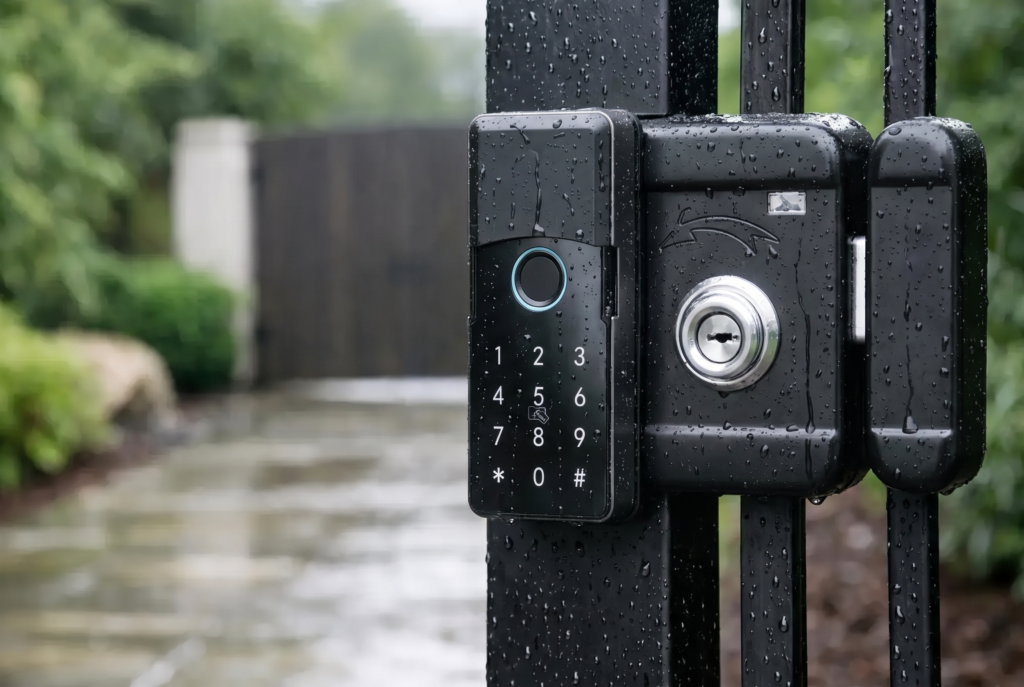
A gate lock needs a different standard of compatibility. It may face rain, humidity, dust, direct sun, and greater temperature changes than an indoor front-door lock. Check the product’s weather-resistance rating and confirm that the gate material, frame design, latch alignment, and clearance will support the hardware.
Metal gates can introduce additional installation considerations. The lock needs stable mounting points, protected wiring where applicable, and precise alignment between the lock body and strike. A gate that shifts or sags can prevent any lock from latching correctly, no matter how advanced its biometrics are.
For homes with a gate and a main door, consider the full arrival sequence. A smart gate lock can manage access at the perimeter, while a digital door lock protects the home itself. Adding a video doorbell viewer can provide live visitor verification and two-way communication before you grant access. This layered setup is especially useful for families, landed-home residents, and property owners managing service access.
Check Power, Connectivity, and Backup Access
Digital locks are battery-powered by design, but battery type, expected life, low-battery alerts, and emergency power options differ. Ask how the lock signals low power and what happens if batteries are not replaced promptly. Many models support an emergency external power connection so the lock can be powered temporarily from outside if the batteries are depleted.
Connectivity deserves the same practical thinking. Bluetooth is often sufficient for close-range app control, while Wi-Fi enables remote features such as access records, status notifications, and temporary code management from outside the home. Wi-Fi-compatible locks need a stable home network and suitable signal strength near the entrance. A thick metal gate or a distant front door can weaken reception, so placement should be checked before relying on remote operation.
Mobile access should support your household rather than complicate it. A family that wants quick, independent entry may prioritize fingerprint enrollment. A landlord may value scheduled codes and access history. A homeowner who travels frequently may prefer remote status checks. Match the app features to the problem you are trying to solve.
Choose Access Methods for Real Household Use
The most compatible lock is also one that people can use confidently. Fingerprints are fast and convenient, but young children, older adults, or people with frequently wet or worn fingertips may appreciate a PIN or card as an additional option. Face recognition can offer a touch-free experience at the main door, provided the installation height and entry approach suit the technology.
Avoid choosing a lock based on one headline feature alone. Multiple access methods create useful flexibility. If a child forgets a PIN, a parent can provide a temporary credential. If you are carrying groceries, a biometric or face-recognition option can reduce fumbling for keys. If a guest arrives while you are away, a time-limited code may be safer than leaving a physical key with a neighbor.
Security also includes how access is removed. Look for a system that lets you delete lost cards, change codes, and remove former users without replacing the entire lock. That is a practical advantage for households, rental homes, and properties with changing service staff.
Plan for Installation, Finish, and Long-Term Support
A compatible lock should look intentional once installed. Consider the door color, handle finish, existing hardware, and any visible marks left by the old lock. In some cases, a different lock category may provide a cleaner final appearance than trying to force a new device into an unsuitable opening.
Professional installation is particularly valuable when mortise cutting, gate alignment, wiring, door reinforcement, or app setup is involved. The work is not only about attaching the device. It includes checking latch engagement, handle movement, door closing, emergency access, user enrollment, and basic operating guidance for the household.
Genesis Singapore approaches smart security as a complete home upgrade, pairing connected access products with installation, warranty coverage, and local after-sales support. That service matters because a lock is used every day. When settings need adjustment, batteries need attention, or a household’s access needs change, dependable support protects the value of the investment.
Before making a final decision, share clear photos of the inside and outside of the door or gate, the edge of the door, the current lock, handle, hinges, and surrounding clearance. Include measurements when possible. A proper compatibility review can identify concerns early and point you toward a lock that fits both your property and your routine.
The best digital lock should feel natural from the first day: secure when you leave, quick when you return, and flexible enough for the people you trust to call your home their own.