A forgotten key is rarely just a forgotten key. It can mean a child waiting outside after school, a family member arriving while you are stuck at work, or a service appointment that requires someone to stay home. Lock technology changes that daily friction by giving homeowners more ways to control who enters, when they enter, and how they are verified.
The best connected locks do more than replace a key with a phone. They combine reliable mechanical hardware, secure authentication, thoughtful access settings, and professional installation. For households considering an upgrade, the goal is not to add technology for its own sake. It is to make entry simpler while giving the front door or gate a stronger role in the home’s overall security plan.
What Modern Lock Technology Actually Does
A traditional lock has one primary question: does this key turn? A smart lock can make several decisions before allowing access. Depending on the model, it may recognize an enrolled fingerprint, confirm a passcode, receive an approved mobile-app command, read a temporary access credential, or work with a physical key as a backup.
This flexibility matters because households do not operate on one schedule. Parents may leave early, teenagers may arrive at different times, relatives may visit occasionally, and cleaners, contractors, or pet sitters may need controlled access. Instead of copying keys and wondering where they end up, an owner can issue access in a format that suits the visit and remove it when it is no longer needed.
Many advanced systems also create a record of access activity. A homeowner can check whether the door was opened, receive an alert when an event occurs, or confirm that a visitor arrived. When paired with a video doorbell viewer, entry management becomes more complete: see who is at the door, speak with them through two-way audio where supported, and decide whether to grant access without being physically present.
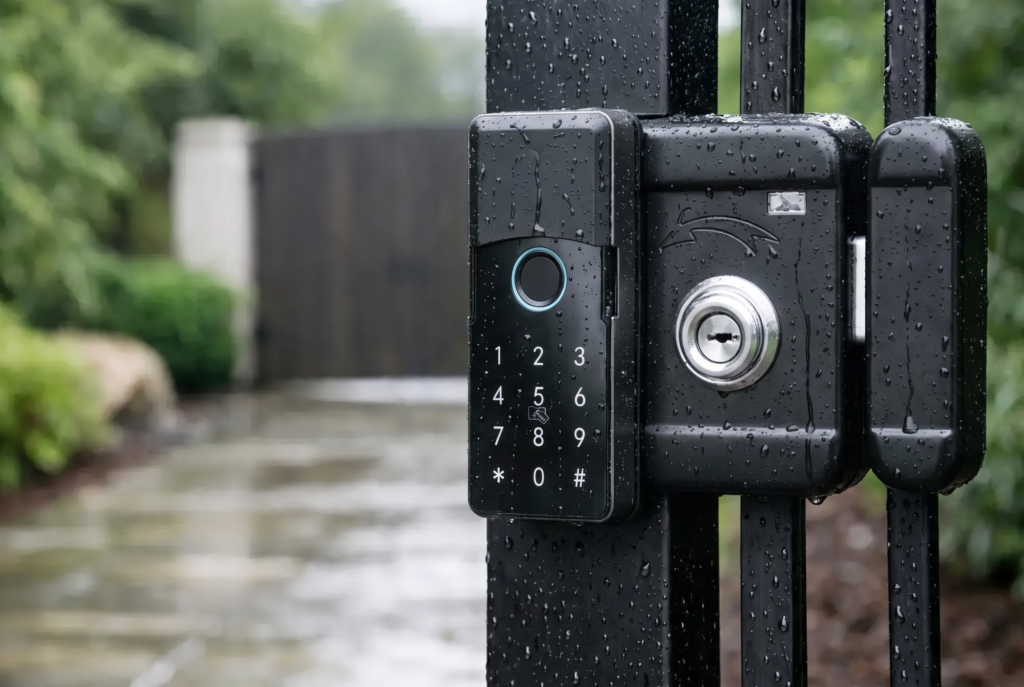
That does not mean every home needs every feature. A household that wants quick fingerprint entry may be well served by a biometric mortise lock. A landlord managing occasional turnover may place more value on changing passcodes remotely. A landed property with an exterior gate may need weather-resistant gate hardware first, then a smart lock at the main door.
The Lock Technology Features That Matter Most
Biometrics make everyday entry faster
Fingerprint recognition is one of the most practical forms of keyless access. A registered user can place a finger on the sensor and enter without searching for keys, typing a code, or opening an app. It is especially useful when carrying groceries, managing young children, or returning home late.
Quality matters here. A biometric system should recognize authorized fingerprints consistently while allowing the administrator to add and remove users easily. It should also be positioned where the sensor remains convenient to use and protected from unnecessary exposure. Face-recognition access can add another hands-free option on compatible models, but suitability depends on the entrance layout, lighting conditions, and the household’s preferences.
Biometrics are convenient, not a reason to ignore backup access. Good lock design includes alternatives such as a passcode, mechanical key, emergency power connection, or approved app access. A lock should help the household handle exceptions calmly, not create a new problem when a battery is low or a fingerprint is temporarily difficult to read.
App control extends access beyond the front door
Mobile-app control gives homeowners a useful level of oversight. Rather than asking, “Did I lock the door?” while already miles away, a compatible lock may show status information or allow an authorized user to operate the lock remotely, depending on its connectivity setup.
The most valuable app functions are often the simplest: creating a one-time code, setting a scheduled credential, reviewing access events, and receiving alerts. These tools can reduce unnecessary key exchanges and help household decision-makers keep access organized.
Remote functions do come with responsibilities. The account protecting the lock app should use a unique, strong password and multi-factor authentication when available. Only trusted household members should receive administrator access. Temporary users should receive temporary permissions, not the same level of control as the owner. Connected security is strongest when the physical device and the digital account are managed with equal care.
Video visibility adds context to entry events
A lock can tell you that a door was opened. A video doorbell viewer can help explain what happened around that moment. For front entrances, this added context is valuable when deliveries arrive, someone rings while the family is away, or a visitor needs instructions.
Look for practical video features rather than headline specifications alone. Clear live viewing, motion alerts, two-way audio, suitable recording options, and a camera angle that covers the approach to the entrance all affect real-world usefulness. Placement is equally important. A camera mounted too high, poorly aimed, or blocked by a gate structure will not provide the view the homeowner expects.
Video should support sensible household awareness, not create a false sense that a camera alone secures an entrance. Strong door and gate hardware, a correctly installed lock, good lighting, and responsible access management still matter.
Choosing the Right Lock for Your Door or Gate
The first decision is usually not the color, finish, or even the app. It is the entrance type. A smart lock must match the door construction, lock body, handle arrangement, backset, thickness, and swing direction. For a gate, the requirements may include exposure to rain, heat, dust, vibration, and the material of the gate itself.
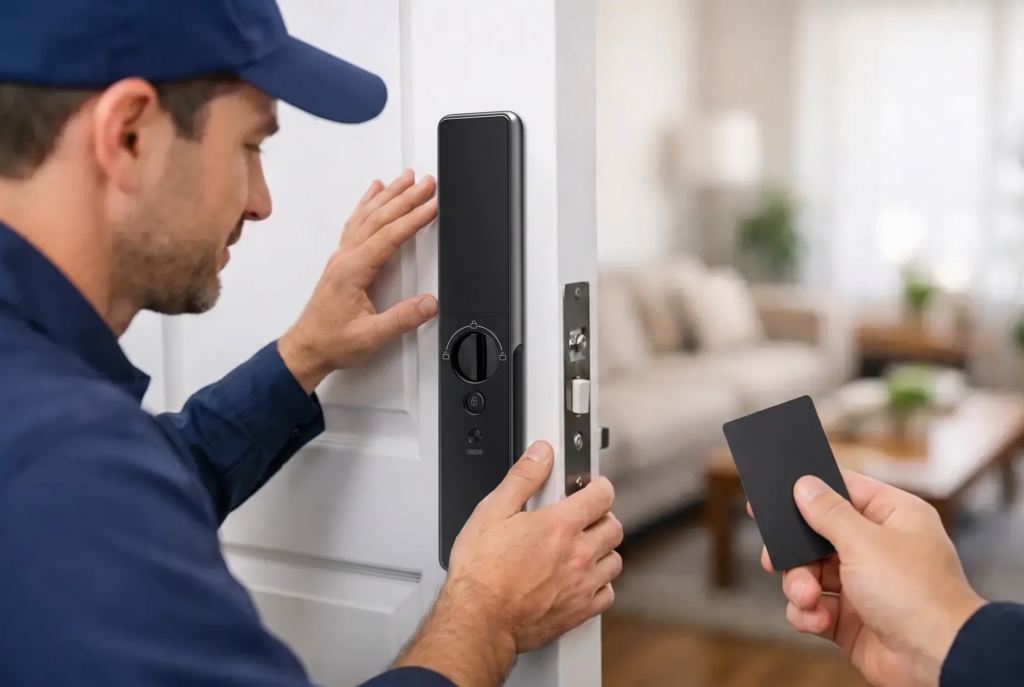
Mortise locks are a popular choice where a more integrated lock body and handle arrangement are needed. Fully automatic models can extend the convenience further by locking automatically after the door closes, while semi-automatic options may suit homeowners who prefer more direct control over the locking action. Smart lever locks can be a strong fit for compatible internal or secondary doors where a lever-style design makes sense.
For gates, weather resistance deserves close attention. An exterior smart gate lock should be designed for its environment and installed with cable routes, mounting surfaces, and protection from direct exposure considered carefully. The app feature list may look similar to an indoor smart lock, but exterior durability is a separate requirement.
A professional assessment prevents costly assumptions. The most feature-rich lock is not the right choice if it does not fit securely, interferes with the door frame, or leaves gaps in how the entrance closes. Genesis Singapore approaches smart security as a full ownership experience because selecting, fitting, testing, and supporting the hardware are all part of dependable access control.
Installation Is a Security Feature, Not an Afterthought
Smart locks are physical security devices first. Correct installation determines whether the bolt aligns properly, the handle moves freely, the door closes without force, and every selected access method operates as intended. A poorly aligned strike plate or an improperly fitted mortise can affect both reliability and security.
During installation, the technician should confirm the door condition, test locking and unlocking from both sides, enroll the primary users, explain backup entry options, and ensure the owner understands battery replacement. For connected models, the setup should also include the app account, notification preferences, and a clear distinction between administrator and guest access.
Before the installer leaves, use the lock as you would on a normal day. Enter with a fingerprint, try the passcode, check the auto-lock timing if equipped, and understand how to respond to a low-battery warning. These few minutes turn a premium device into a system the whole household can use confidently.
A Smarter Routine for Long-Term Security
Connected locks need occasional attention, although not constant maintenance. Keep fingerprint sensors and camera lenses clean, replace batteries promptly when alerts appear, and review access permissions after a tenant change, staff change, renovation, or extended guest stay. If someone no longer needs entry, remove their credential rather than assuming it will not be used.
It is also wise to keep a household plan for power and connectivity interruptions. Battery-operated locks generally continue to provide local access methods even if Wi-Fi is unavailable, but remote commands and notifications may pause. Know the backup method before an urgent situation arises.
The right lock technology should feel natural after the first week: fewer keys to carry, fewer access questions to solve, and more confidence that the entrance is managed on your terms. Choose hardware that fits the property, features that fit the household, and support that remains available after installation. Then every return home can be one less thing to think about.