A front-door fingerprint lock has to do more than feel convenient at 7 a.m. when everyone is leaving the house. It has to recognize the right person quickly, protect biometric data, and keep the door secure when a battery runs low, a phone is offline, or a child needs to get in after school. So, are fingerprint sensors safe? When they are part of a well-designed smart lock with secure data handling, quality hardware, and professional installation, they can be a very safe choice for residential entry.
The key is understanding what the sensor does and what it does not do. A fingerprint reader is one layer of a complete access-control system. The lock body, deadbolt or mortise mechanism, tamper alerts, backup entry methods, app permissions, and installation quality all affect the protection your household receives.
Are Fingerprint Sensors Safe on Smart Door Locks?
Fingerprint entry can be safer than relying on physical keys alone because your fingerprint cannot be casually lent, copied at a hardware store, or lost between the car and the front door. A biometric lock also lets homeowners remove the risk of hidden spare keys under a mat, planter, or mailbox.
That does not mean fingerprint access is magically immune to every threat. Like any security method, it depends on the product and how it is used. A low-quality reader with weak matching technology may be less dependable than a premium biometric smart lock. A strong fingerprint sensor installed on a poorly aligned door may still perform badly because the locking hardware cannot engage correctly.
For most households, the real-world benefit is control. You can enroll fingerprints for family members, remove access when a helper or tenant no longer needs it, and retain a PIN, key card, mechanical key, or app-based method for backup access. Instead of putting your entire home-security plan on one technology, a modern smart lock gives you several controlled ways to enter.
Your Fingerprint Is Usually Stored as a Template, Not a Photo
One common concern is whether a smart lock stores a full image of your fingerprint. Reputable biometric locks generally convert the fingerprint scan into a mathematical template. The system uses distinctive characteristics, such as ridge patterns and points where ridges end or split, to compare a future scan with the enrolled record.
That template is not the same as a photograph that can be displayed or easily recreated. It is designed for matching inside the lock’s authentication system. The technical details vary by model, so homeowners should avoid broad assumptions and check how a specific product handles biometric data before purchase.
Data storage location matters as well. Some locks keep biometric templates locally in the device rather than sending them to a cloud service. This approach reduces the number of places where sensitive data is held. If a lock includes Wi-Fi or app connectivity, look beyond the fingerprint feature itself. Ask how the app account is protected, whether access is managed through individual users, and how firmware updates are handled.
A safe smart lock should treat the fingerprint reader as one secure part of the system, not as a reason to overlook account security. Use a unique, strong password for the associated app account, enable additional account verification where available, and remove users who no longer need access.
Can Someone Copy a Fingerprint and Open the Door?
Movies make fingerprint spoofing look effortless: someone lifts a print from a glass, creates a replica, and opens a secure door in seconds. Real life is more complicated. The quality of the sensor and its anti-spoofing capabilities matter greatly.
Better biometric readers are designed to distinguish a real finger from a flat image or simple molded copy. Depending on the technology, they may evaluate characteristics beyond a basic surface pattern. Capacitive sensors read electrical properties at the skin surface, while optical and ultrasonic designs use different ways to capture fingerprint detail. No consumer biometric system should be described as impossible to defeat, but a properly implemented sensor raises the difficulty well beyond the casual risks associated with misplaced keys.
More often, the practical weakness is not a sophisticated fake fingerprint. It is a predictable PIN, a shared app login, an unsecured physical backup key, or a door that was never correctly installed. Homeowners get better results by considering the entire entry point.
For added confidence, choose a lock that supports multiple authentication methods and set sensible permissions. A family member may use a fingerprint daily, while a dog walker can receive a time-limited PIN. A contractor can be issued temporary access that is removed after the work is completed. This is more accountable than handing out copies of one mechanical key.
Reliability Matters as Much as Security
A secure lock must also work consistently for the people authorized to use it. Fingerprint readers can occasionally struggle with wet hands, very dry skin, cuts, dirt, or fingerprints that are less defined due to age or manual work. This is not unique to smart locks, but it is a reason to enroll fingerprints thoughtfully.
Register more than one finger for each regular user. For example, enrolling both thumbs and an index finger gives a household member practical alternatives if one finger is wet, injured, or difficult for the reader to recognize. During setup, follow the lock’s enrollment prompts carefully and scan the finger at slightly different angles when instructed.
A quality residential lock should also provide dependable backup entry. PIN codes, RFID cards, mobile app access, and mechanical override keys can each have a place, depending on the lock model and your household’s needs. The goal is not to use every method every day. It is to avoid being locked out because one method is temporarily inconvenient.
Battery management is equally important. Most smart door locks are battery-powered and provide low-battery alerts before replacement is urgent. Make a habit of responding to those alerts promptly, especially before travel. Many models also offer emergency power options so the lock can be powered temporarily from outside if batteries are depleted. These details turn a biometric feature into a dependable everyday access solution.
What Makes a Fingerprint Lock Safer?
The safest choice is not simply the lock with the longest feature list. It is a lock that matches the door, property type, and people who will use it. A high-rise apartment, single-family home, rental property, and gated residence can have different requirements.
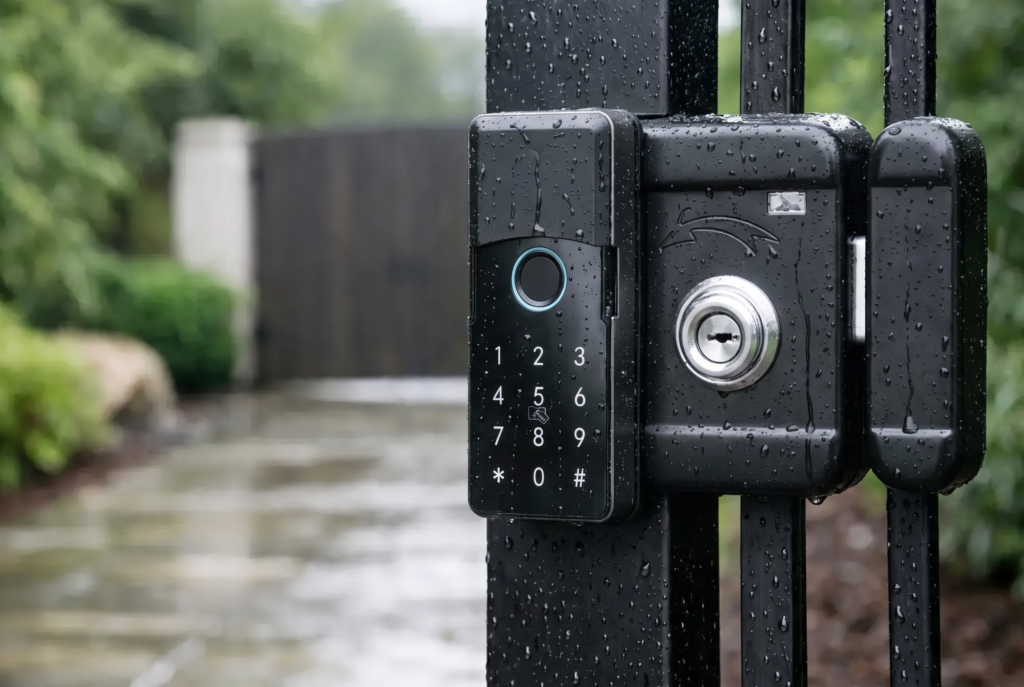
Look for a secure locking mechanism suited to your door construction, along with a sensor designed for frequent household use. A mortise smart lock, for example, may be appropriate where the door supports that configuration, while a smart lever lock may better suit an interior access point. For exterior gates, weather resistance and the ability to withstand heat, rain, and dust become central considerations.
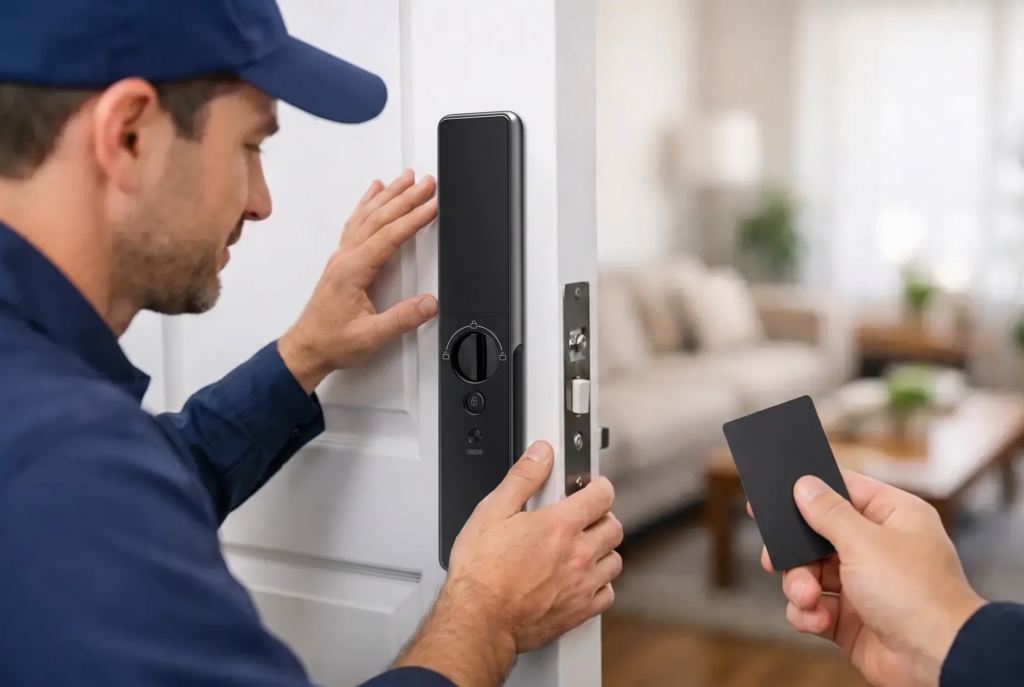
The installation deserves the same attention as the electronics. A door that sags, a strike plate that does not align, or a lock body fitted incorrectly can cause friction, failed locking, and premature wear. Professional installation helps ensure the latch, bolt, frame, and electronics operate as one system. It also gives homeowners a chance to learn how to enroll users, set backup methods, and respond to alerts before they rely on the lock every day.
At Genesis, smart-lock installation and after-sales support are part of the ownership experience because security does not end when the device is mounted on the door. A household should know who to contact for setup help, servicing, warranty questions, and advice as its access needs change.
Smart Habits That Strengthen Biometric Access
Fingerprint security is strongest when it is managed with the same care as any other household security measure. Avoid enrolling every casual visitor. Keep administrative credentials private, and use separate user profiles rather than sharing one master PIN. Review access after a tenant changes, a renovation ends, or household routines shift.
If your lock connects to an app, keep both the app and the lock firmware updated when updates are available. These releases can address security issues, improve compatibility, and refine performance. It is also wise to test your backup entry method occasionally instead of discovering a problem during an urgent lockout.
Finally, remember that a fingerprint lock protects only the door it is installed on. Check that doors close fully, frames are in good condition, windows are secured, and gate access is considered where relevant. Connected video doorbells and access alerts can add visibility around the entryway, but they work best alongside basic physical security practices.
A fingerprint sensor can make home entry faster without making it careless. Choose a lock with credible biometric technology, a secure mechanical foundation, practical backup access, and professional support. Then take a few minutes to set it up for the way your household actually lives. That is where keyless convenience becomes real confidence at the door.