A front door should not become a daily handoff point for keys. A Tuya smart lock gives household members a more convenient way to enter while giving the primary owner clearer control over who has access and when. For busy families, renters, and homeowners managing cleaners, caregivers, or deliveries, the appeal is practical: fewer spare keys, fewer forgotten keys, and a better record of entry activity.
Tuya is the connected platform behind many smart-home products, including door locks, lights, sensors, cameras, and switches. That broad compatibility can make a Tuya-based lock an attractive choice for a home that already uses the Tuya Smart or Smart Life app. But the right lock is not simply the model with the longest feature list. It must fit your door, suit your household’s routines, and provide dependable backup access when batteries need replacing or a connection is unavailable.
What a Tuya Smart Lock Can Do for Your Home
A Tuya-enabled lock connects physical door access with mobile controls. Depending on the model and its connection method, you may be able to manage users, review access records, receive door activity alerts, and issue time-limited passcodes through an app. Some locks connect directly through Wi-Fi, while others rely on Bluetooth for nearby control and use an optional gateway for remote functions.
The core benefit is flexibility. A fingerprint can be ideal for family members who enter several times a day. A passcode can work well for older children or trusted visitors. App-based credentials can be removed without collecting a physical key, which is particularly useful after a tenant changes or a service arrangement ends.
Many models combine several entry methods, such as:
- Fingerprint recognition for regular household users
- PIN codes, including temporary or scheduled codes
- RFID cards or tags for simple tap-to-enter access
- Mobile app control for user administration and activity alerts
- Mechanical key or emergency power access for contingencies
Not every Tuya smart lock includes every method. A face-recognition model, for example, may offer a more hands-free experience, while a compact lever lock may prioritize straightforward fingerprint and PIN access. Choose the methods your household will actually use rather than paying for functions that do not suit the door or daily routine.
Choose the Right Tuya Smart Lock Format
The lock format matters as much as the app. A smart lock that looks impressive online can be the wrong match for the door preparation, handle type, or security needs of the property.
Mortise locks for a complete front-door upgrade
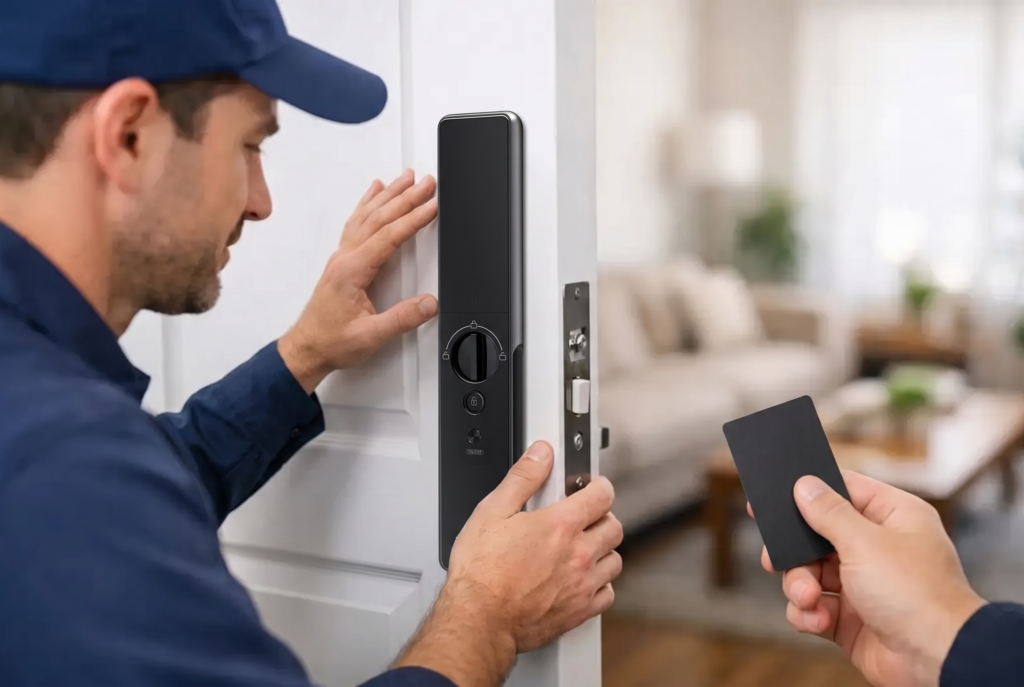
A mortise smart lock replaces a larger section of the door hardware and can combine the handle, latch, deadbolt, and smart access components in one coordinated unit. It is often selected for main entrances where homeowners want a premium, integrated appearance and multiple access options in a single device.
Because mortise locks require accurate measurements and compatible door preparation, professional installation is strongly recommended. The installer should confirm door thickness, backset, handing, strike alignment, and clearance around the frame. A precise installation helps the bolt engage correctly, reduces strain on the motor, and prevents a high-tech lock from feeling difficult to operate.
Deadbolt and retrofit options for simpler upgrades
A smart deadbolt can be a practical choice when the existing door and handle are in good condition. Rather than replacing all the hardware, it upgrades the locking point while preserving the exterior look of the door. This format can suit homeowners who want connected access without a major change to their current handle set.
Retrofit designs can also be useful, but compatibility deserves close attention. Confirm whether the existing deadbolt is supported, whether the interior thumb turn has enough clearance, and whether the door closes cleanly before installation. Smart functions cannot compensate for a misaligned door or a worn strike plate.
Lever locks for interior, side, and access doors
A smart lever lock combines the handle and access control in one unit. It may suit a side entrance, home office, garage-to-home door, or interior space where authorized access needs to be managed. For an exterior entry, verify that the model is rated and built for the exposure, usage level, and locking requirements of that location.
Gate locks for outdoor access points
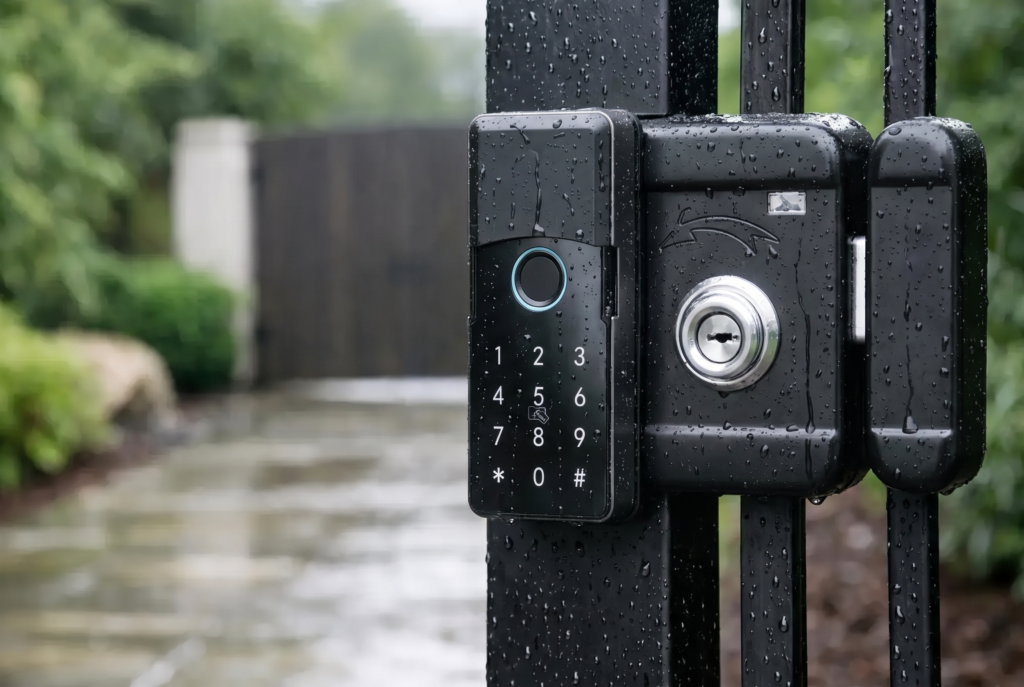
A gate requires a different standard of hardware. Rain, humidity, dust, direct sun, and repeated outdoor use can affect performance. If you need smart access at a gate, look for weather resistance appropriate to the installation environment, a secure latch or deadbolt arrangement, and app controls that work with your preferred visitor-management routine. A video doorbell viewer can add useful visual confirmation before granting access at the gate or main entrance.
App Control Is Valuable, but It Is Not the Whole Security Plan
The Tuya app experience is one reason homeowners consider this category. User management can be faster than cutting and collecting keys. You can create a guest code for a relative staying for the weekend, set a recurring code for a cleaner, or remove access when it is no longer needed. Access logs can also help answer simple household questions, such as whether a child arrived home after school.
Remote control depends on the lock’s specific connectivity. A Bluetooth-only model generally requires you to be nearby unless it works with a compatible gateway. A Wi-Fi model may provide more direct remote features, but it also depends on a stable home network and careful account security. Check the product specifications instead of assuming every app feature works the same way across every lock.
Use a unique app password, protect the account with available verification features, and avoid sharing the main household login. Each person should have their own credential where possible. That approach keeps access records more meaningful and makes it easier to remove one person’s authorization without disrupting everyone else.
Build in Backup Access Before You Need It
Battery-powered smart locks are designed to operate for months, not days, but batteries still need attention. A low-battery warning is a prompt to replace batteries promptly, not a reason to wait until the next week. Use quality batteries recommended by the manufacturer and keep an appropriate backup method available.
A well-planned setup may include an emergency mechanical key stored outside the home in a secure, deliberate location, or an emergency external power method where supported by the lock. The correct option depends on the model. Test the backup procedure after installation so every responsible adult understands it before an urgent situation occurs.
It is also wise to think about the less obvious edge cases. Will an elderly parent be comfortable with fingerprint enrollment? Does a child need a simple card or PIN instead of app access? If your home Wi-Fi goes down, can household members still enter using local methods? The strongest configuration is usually one with more than one reliable entry path.
Installation Determines How the Lock Feels Every Day
Smart access hardware should feel natural at the door. The bolt should move without scraping, the handle should return properly, and the closing action should not require force. If the door shifts with seasonal changes, has a loose frame, or needs to be pushed hard to latch, address those mechanical issues before installing the lock.
Professional setup also makes a difference after the hardware is mounted. Fingerprints should be enrolled for the users who will rely on them most. PINs should be created with privacy in mind. Auto-lock timing should match the household routine: too short can be inconvenient when carrying groceries, while too long may leave the door unsecured after someone forgets to lock it manually.
For larger homes or properties with several access points, consider the full entry journey. A main door lock, gate lock, and video visitor device can work as a coordinated system when their controls are organized clearly. That does not mean every door needs the same hardware. The front entrance may need a premium mortise lock, while a side door may be better served by a straightforward lever lock.
Is a Tuya-Based Lock Right for You?
A Tuya smart lock is a strong fit for households that want app-based user control alongside familiar access methods such as fingerprints, codes, cards, and keys. It can be especially useful when access changes regularly or when the home already uses Tuya-compatible smart devices.
It may be less suitable for someone who wants zero app involvement, has an incompatible door, or expects remote features to work without reliable connectivity. In those cases, a simpler biometric lock or a professional assessment of door hardware may be the better starting point.
The best smart lock is the one your household can use confidently on an ordinary rushed morning, not only one that looks impressive in a product demonstration. Start with the door, choose the access methods your family trusts, and make sure professional installation and dependable support are part of the decision.