A phone-controlled door lock should make arriving home easier, not create another point of uncertainty. Learning how to secure mobile door access starts with treating your lock, phone, home network, and household routines as one connected security system. A premium smart lock can provide excellent protection, but its real value depends on how thoughtfully it is installed, configured, and managed.
For families, busy professionals, landlords, and owners of gated homes, mobile access replaces the spare key under the mat with something far more controllable. You can check lock status, issue access for a visitor, and remove permissions when circumstances change. The goal is not simply keyless entry. It is knowing exactly who can enter, when they can enter, and how to keep that control in your hands.
Start With a Lock Built for Your Door
Mobile security begins with the physical lock. An app cannot compensate for a poorly fitted lock, a weak door frame, or hardware that is not designed for the location. Choose a smart lock that matches your door type, whether that is a main wooden door, metal gate, apartment entry door, or a narrow-profile door with limited space for installation.
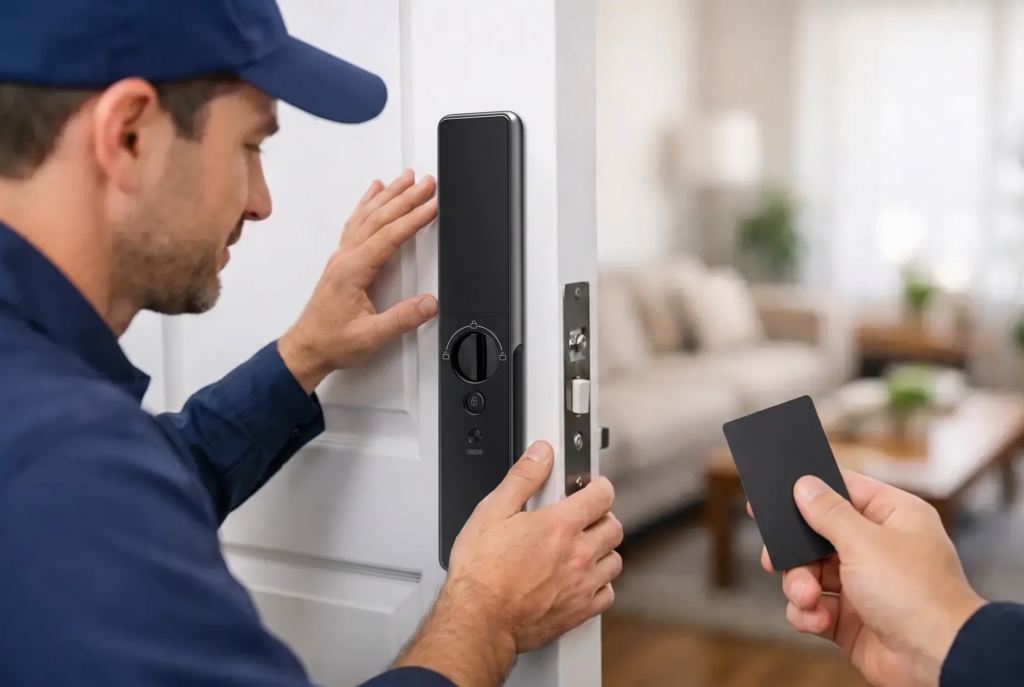
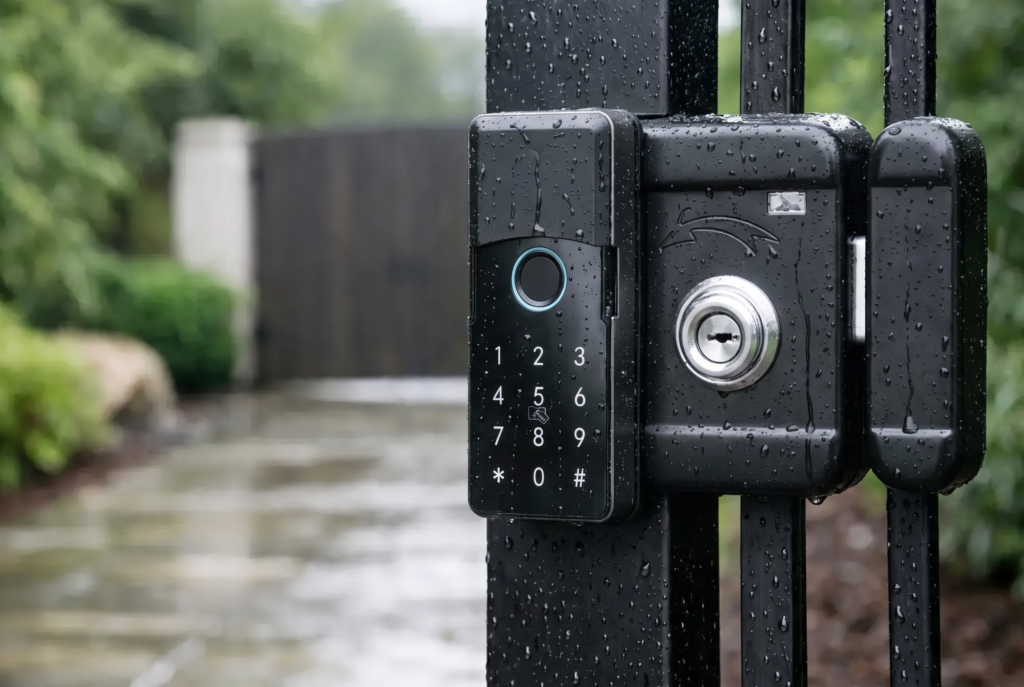
For the main entrance, a fully automatic or semi-automatic mortise smart lock offers a strong combination of daily convenience and physical security. A mortise body sits within the door and generally provides more substantial latching than a surface-mounted option. For gates and outdoor access points, select hardware designed to handle moisture, heat, and dust. Weather resistance matters because a gate lock faces different conditions than an indoor-facing entry lock.
Professional installation is worth prioritizing. Correct alignment allows the bolt or latch to engage properly without forcing the mechanism. The installer should also check the strike plate, frame condition, door gap, handle movement, and emergency access method. A lock that binds against the frame may work at first but can drain batteries faster, reduce reliability, and leave you questioning whether the door has fully secured.
How to Secure Mobile Door Access With Strong Authentication
Your mobile app is the command center for the lock. Protect it with the same care you give a banking app. Use a unique, long password for the smart-lock account rather than reusing a password from email, shopping, or social media. If the app supports two-factor authentication, turn it on immediately.
Your phone also needs a secure screen lock. Use a strong passcode, fingerprint recognition, or face recognition, and set the screen to lock automatically after a short period. If a phone is left on a table, borrowed by a child, or misplaced during a busy day, an unlocked device can give someone direct access to your home controls.
Biometric verification at the door adds another layer of reassurance. A registered fingerprint is often faster than searching for a phone, especially when carrying groceries or managing children at the entrance. Use biometric access for household members who need regular entry, while keeping mobile credentials and temporary PIN codes for people whose access should be limited.
For high-security households, avoid making a single method the only way to enter. A well-configured system may offer fingerprint recognition, mobile app access, PIN codes, RFID cards, and a mechanical emergency key. Multiple access options are useful for practical reasons, too. If your phone battery dies or internet service is temporarily unavailable, you still need a dependable way to get inside.
Give Access by Role, Not by Convenience
The biggest advantage of mobile door access is permission control. The most common mistake is treating every user like a permanent household member. Instead, create access based on the person’s role and the reason they need entry.
A family member may need ongoing access through fingerprint enrollment and the app. A cleaner, dog walker, contractor, or delivery helper usually needs access only during specific windows. Set a time-limited PIN code or scheduled digital key where your lock supports it. When the job is complete, remove the credential rather than leaving it active “just in case.”
This matters for landlords and property managers as well. Between tenants, delete previous users from the lock and app before new residents move in. Do not rely on a former tenant saying they have removed the app. Account permissions should be visibly cleared by the person who administers the lock.
Avoid sharing one universal PIN with everyone in the household. Individual codes create better accountability and make it easier to identify which credential was used if you review access history. They also let you revoke one person’s access without disrupting everyone else.
Protect the Network Behind Your Smart Lock
A Wi-Fi-enabled lock or gateway depends on your home network, so router security is part of door security. Change the router’s default administrator password, use WPA2 or WPA3 encryption, and install router firmware updates when available. Keep the Wi-Fi password private and avoid giving visitors access to the same network used by your security devices unless you have a separate guest network.
If your smart lock communicates by Bluetooth, the same principle applies: keep your phone’s operating system and the lock app updated. Updates often address performance issues and security vulnerabilities. Enable automatic updates for the app if that option is available, and review device firmware updates as part of regular home maintenance.
Be careful with notifications. Lock activity alerts can be useful, particularly when children arrive home or a temporary code is used. However, lock-screen notifications should not reveal sensitive details to anyone who can see your phone. Configure previews so they provide useful information without displaying personal access codes or account information.
Use Video Verification at the Right Entry Points
A connected video doorbell viewer adds valuable context to mobile door access. Before you grant entry remotely, you can see who is at the door, speak with them through two-way audio, and confirm why they are there. This is particularly useful for deliveries, service appointments, and children returning home while you are away.
Video should support your decision-making, not replace good judgment. Do not remotely open the door just because someone claims to be a contractor or delivery driver. Verify scheduled appointments, use the video feed to assess the situation, and issue time-limited access only when it is genuinely necessary.
For homes with a front gate, consider separating access into layers. A smart gate lock can manage the outer perimeter, while the main door lock protects the residence itself. This setup lets you provide controlled access to the gate without automatically giving a visitor access to the home. The right arrangement depends on the property layout, the people who regularly visit, and whether the gate is exposed to weather.
Maintain the Lock Before It Becomes an Emergency
Smart locks are battery-operated devices, and battery management is a security habit, not merely a convenience task. Check battery levels through the app and replace batteries before they reach a critical level. Use the battery type recommended by the manufacturer, and avoid mixing old and new batteries.
Test every entry method after installation and again after major settings changes. Confirm that fingerprints are recognized consistently, PIN codes work as expected, the door auto-locks if you use that feature, and the physical backup key is stored securely outside the home but accessible in a real emergency. A trusted family member or a secure key storage plan can be appropriate. Leaving the backup key in an obvious hiding place is not.
At least a few times each year, review the app’s authorized users, event history, firmware status, and notification settings. This is especially worthwhile after a roommate moves out, household staff changes, a phone is replaced, or a relationship with a service provider ends.
Plan for a Lost Phone or Changed Situation
A lost phone is not automatically a home-security crisis if your account and device are properly protected. Use your phone’s remote location and erase features, then sign out of the smart-lock app or change the account password from another trusted device. Remove that phone’s access if the platform lets you manage authorized devices individually.
When you upgrade your phone, do not simply hand the old one down or trade it in without removing saved accounts and erasing the device. The same applies to tablets that may have access to the lock app.
Good mobile door access is not about relying on technology blindly. It is about using technology to make entry more intentional. With a properly installed smart lock, protected app account, carefully managed permissions, and reliable local support, your front door becomes easier for your household to use and harder for the wrong person to control.