The package arrives while you are at work, your child gets home before you do, or a cleaner needs access during a busy week. A remote access smart lock app gives you a practical way to manage these moments without hiding a key, rushing home, or leaving the door unsecured. From your phone, you can check whether a compatible lock is secured, issue access for the right person, and receive a record of activity at your entry.
For homeowners who want a smarter front door without turning home security into a complicated project, the app is not an extra feature. It is the control center that makes keyless access more useful in everyday life.
What a Remote Access Smart Lock App Can Do
A smart lock app connects your door lock to your phone so that entry management is no longer limited to standing at the door. The exact controls depend on the lock model and its connection method, but the most useful functions center on status, access, and alerts.
You can usually view whether the door is locked or open the lock remotely when needed. This is especially helpful after leaving home in a hurry or when a trusted visitor arrives unexpectedly. Rather than wondering whether the door was secured, you can confirm its status from the app.
The app can also create access methods for different people. A family member may have a permanent fingerprint, PIN code, or app authorization. A dog walker, housekeeper, contractor, or guest may receive a time-limited code that works only on specified days or hours. When the job is complete or the visit is over, that credential can be removed without collecting a physical key.
Activity records add another layer of confidence. Depending on the system, the app may show when a PIN was used, when a fingerprint was recognized, or when the door was opened through the app. For households with school-age children, these notifications can provide useful confirmation that someone has arrived home safely.
Remote Control Depends on the Right Connection
Not every app-enabled smart lock offers the same level of remote access. Many locks use Bluetooth for communication when your phone is close to the door. Bluetooth is useful for nearby control and setup, but it does not automatically mean you can manage the lock from the office, airport, or another city.
For true away-from-home control, the lock generally needs Wi-Fi connectivity or a compatible Wi-Fi gateway or bridge. The gateway connects the lock to your home network, allowing the app to send commands and receive notifications while you are elsewhere. Before selecting a lock, confirm whether Wi-Fi is built in, whether a separate hub is required, and where that hub should be placed for reliable coverage.
This distinction matters because the best choice depends on how you live. A Bluetooth-only lock can suit someone who wants convenient keyless entry and does not need to grant access while away. A Wi-Fi-connected lock is better suited to busy families, landlords, and homeowners who regularly coordinate deliveries, visitors, or home services.
Internet access is helpful, not a replacement for door hardware
A remote access smart lock app is only one part of the security system. The lock itself still needs a properly fitted deadbolt or mortise body, a secure strike plate, a door that closes correctly, and reliable power. App controls cannot compensate for a poorly aligned door or hardware that is not matched to the entry.
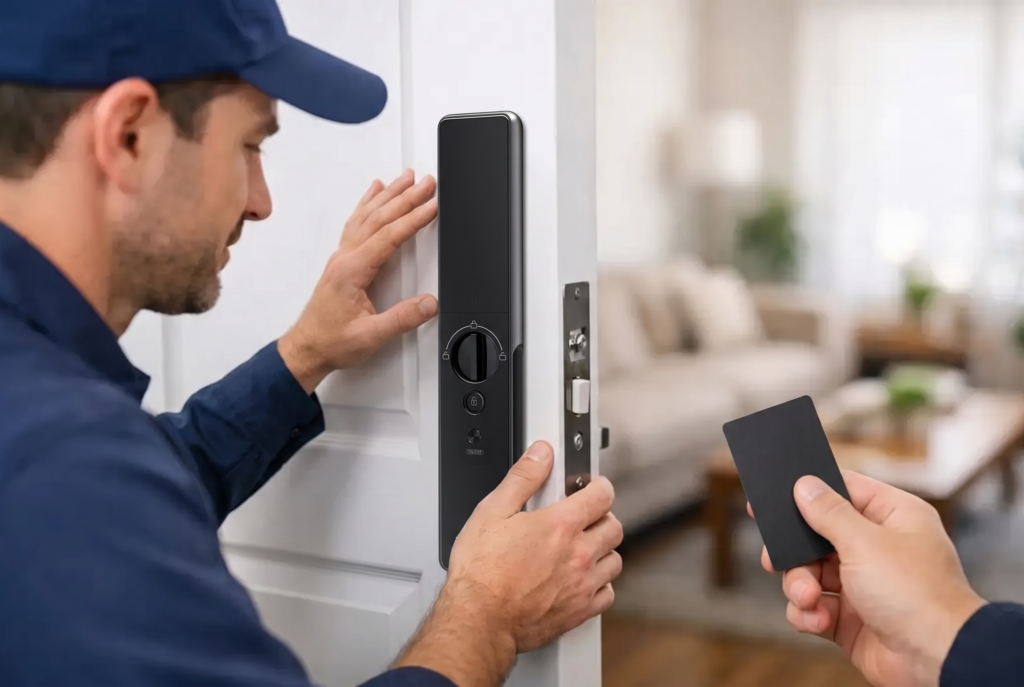
Professional installation is particularly valuable for mortise locks, full-height door designs, metal gates, and properties with existing access-control requirements. A well-installed system feels simple because the technical decisions were handled before the family starts using it.
Better Access for Families, Guests, and Service Providers
Physical keys are easy to copy, forget, or pass from one person to another without a clear record. Digital access is more controlled because you can assign credentials to individual users and adjust them as household routines change.
For a family home, it may make sense to combine several entry methods. Fingerprint access is fast for daily use, especially when hands are full with groceries or a child. PIN codes offer a dependable option for relatives and older children. An app gives the homeowner a remote management layer, while an emergency mechanical key or backup power option provides reassurance if batteries are depleted.
For rental properties or homes that host frequent visitors, temporary PIN codes can be more practical than key handovers. You can schedule a code around a check-in window, then remove it after the guest leaves. This approach reduces the uncertainty of whether every key was returned.
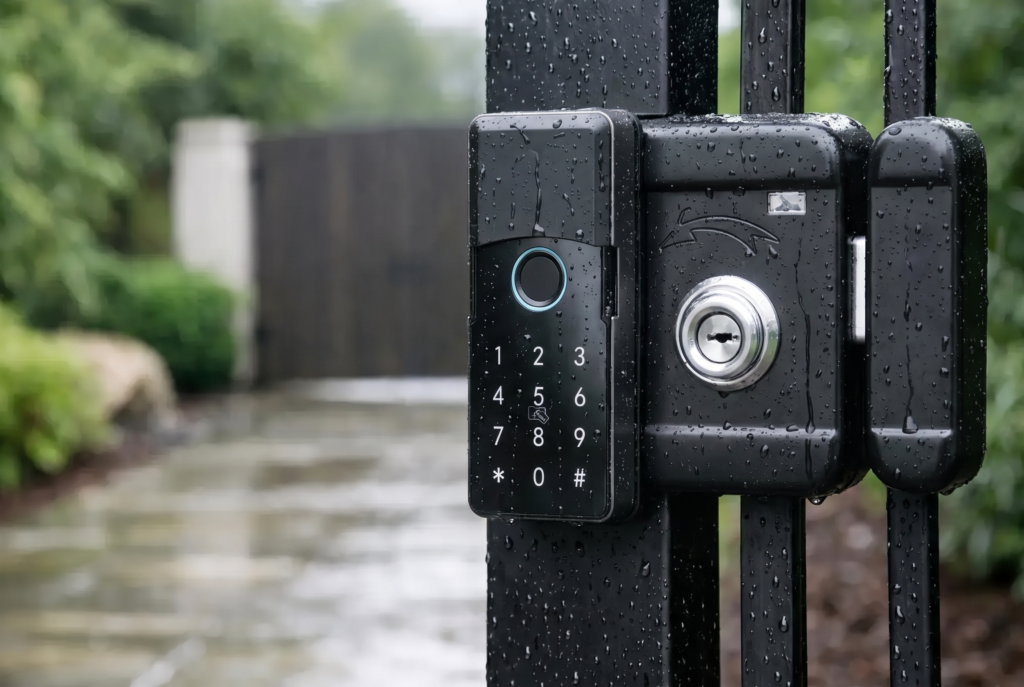
Gate access requires a slightly different conversation. Outdoor hardware must be designed for exposure to heat, rain, dust, and changing conditions. A compatible smart gate lock with an app can make it easier to coordinate access at the perimeter, but weather resistance, signal range, and gate construction should be assessed before installation.
Pair the Lock App With Video When Visibility Matters
A smart lock tells you about access. A video doorbell viewer adds context around the person at the door. Together, they can make visitor management much more practical.
If a delivery driver, contractor, or unfamiliar visitor arrives, two-way audio and live video can help you verify who is there before opening the door remotely. Some systems can also record activity, which is useful for reviewing a missed visit or checking a delivery situation later.
There is a trade-off: connected devices work best when your Wi-Fi signal is stable, and video features can require more planning around power, storage, and notification settings. The goal is not to receive an alert for every movement outside. It is to set useful alerts that help you respond when it matters.
Security Settings That Deserve Attention
A remote lock should be managed with the same care as online banking or home Wi-Fi. Start with a unique, strong password for the app account and enable two-factor authentication if the platform supports it. Do not share the primary account login with family members. Add them through individual user access instead, so permissions and activity can be managed separately.
Keep the app and lock firmware updated. Updates may improve functionality, correct issues, or address security concerns. If you sell the property, move out, or transfer a lock to another owner, remove all users and reset the device according to the manufacturer’s instructions.
It is also wise to review permissions after a major change. Remove a former helper’s code, update access after a renovation, and check that a temporary credential has not become permanent by accident. These small habits keep the convenience of app control aligned with household security.
Battery planning matters too. Most smart locks operate on batteries and provide low-battery warnings in the app or at the lock. Replace batteries promptly and keep the recommended backup entry method available. Remote control is valuable, but a well-designed access plan always includes a practical fallback.
Choosing an App-Connected Lock for Your Door
Start with the door, not the app. Measure the door thickness, identify the existing lock type, and consider whether you need a deadbolt, mortise lock, lever lock, or gate lock. Then choose the access methods that fit your household: fingerprint recognition, PIN codes, key cards, facial recognition on selected models, mobile app control, or a combination of these.
Next, decide how much remote management you genuinely need. If you only want to check the door after leaving home, Wi-Fi connectivity and lock-status notifications should be priorities. If you manage visitors, rental access, or household services, look for temporary code scheduling, user records, and clear permission controls. If your property has a gate or a busy front entrance, consider whether video verification would add meaningful value.
The most satisfying smart-lock setup is one that disappears into the family routine. The door opens quickly for the people who belong there, access remains controlled for everyone else, and you can check in from your phone without making security feel like another task on your list. Choose hardware that fits your door, an app that matches your routines, and installation support that gives the entire system a dependable start.