A front-door key is easy to misplace, hard to share safely, and inconvenient when a child arrives home before you do. A digital lock guide starts with a more useful question: how should your household enter, manage, and monitor the home every day? The right lock replaces key handoffs and spare-key hiding places with access methods that fit real routines.
For many homeowners, that means a fingerprint for daily entry, a passcode for family members, and temporary access for a cleaner, dog walker, or visiting relative. For others, it means app control and a video viewer that makes the front door easier to manage when no one is home. The best choice depends on your door, household size, preferred entry method, and whether you need to secure a gate as well as a main entrance.
Start With the Door, Not the Feature List
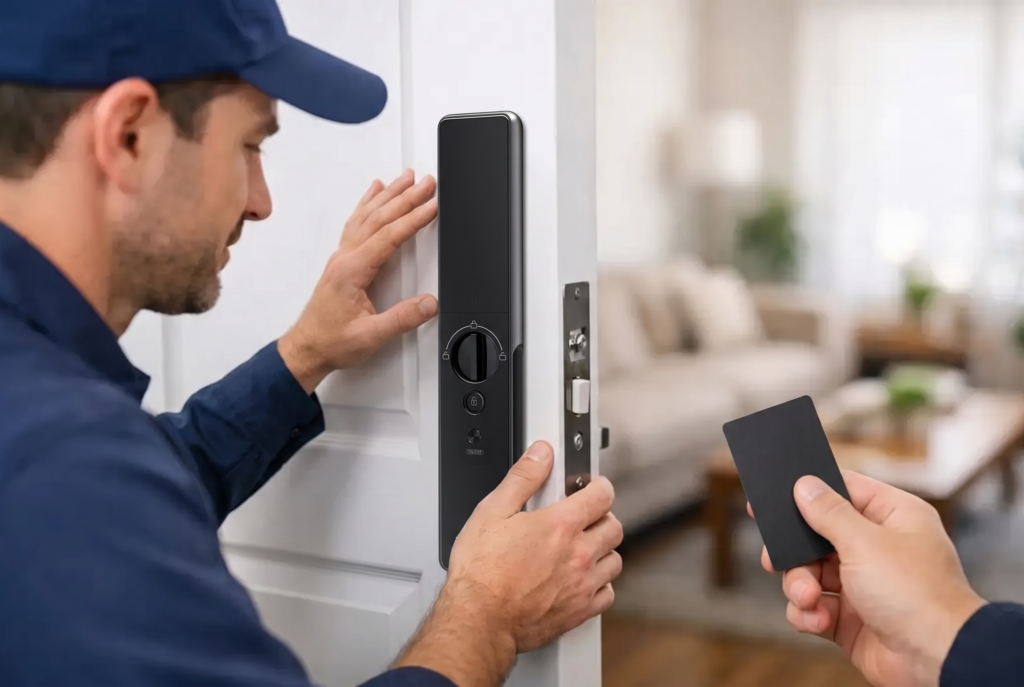
A digital lock has to suit the door before it can improve the experience of using it. Door material, thickness, lock type, handle position, and the existing cutout all affect which model can be installed correctly. A lock that looks ideal online may not be compatible with a narrow metal door, a glass door, a sliding door, or a mortise setup.
Most residential homes use one of three common configurations. A deadbolt lock replaces or works alongside a standard deadbolt and is often a practical upgrade for many entry doors. A mortise lock uses a larger lock body fitted inside the door edge, making it a natural choice for doors that already have this format. Lever locks combine the handle and lock in one unit, which can create a clean, contemporary finish while offering familiar handle operation.
For a new door or renovation, fully automatic mortise locks offer a premium experience. The door can secure itself after it closes, reducing the chance that someone leaves it unlatched during a busy departure. Semi-automatic designs may require lifting the handle or taking an additional action to engage the lock. Neither option is universally better. Fully automatic locking favors maximum convenience, while semi-automatic operation can appeal to homeowners who prefer a more deliberate locking routine.
A professional site assessment matters because secure fitting is not only about drilling holes. The strike plate must align properly, the latch must move freely, and the lock should not place strain on the door or frame. Correct installation helps protect both daily performance and long-term reliability.
Choose the Access Methods Your Family Will Actually Use
The appeal of a digital lock is flexibility. Instead of making every person use one method, you can select the most practical option for each situation.
Fingerprint recognition is often the preferred everyday choice for adults and older children. It is fast, personal, and avoids the need to remember a code. Quality biometric systems should store multiple fingerprints, allowing household members to register more than one finger in case of dry skin, a minor cut, or an inconsistent first scan. Fingerprint access is convenient, but it should sit alongside another method rather than be the household’s only option.
Passcodes are useful for family, visitors, and service access. Look for features such as anti-peep entry, where users can enter random digits before or after the actual code so nearby observers cannot easily identify it. The ability to create and remove individual codes is particularly valuable for landlords and property managers. When a tenancy changes, access can be revised without collecting physical keys or changing cylinders.
Key cards or tags work well for people who prefer a simple tap-to-enter action. They can be especially helpful for younger users or family members who may not want to use an app. Keep in mind that cards can be lost, so choose a system that lets you remove a missing card from the lock’s authorization list.
Mobile app access adds another layer of control. Depending on the model and connection setup, it can allow you to check lock status, send temporary access credentials, receive activity alerts, and manage users from your phone. App features are useful, but they should support rather than complicate household access. If the primary users prefer fingerprints and codes, make those methods the foundation and treat the app as a management tool.
Some advanced locks also offer face recognition. This can be highly convenient at a frequently used entrance, particularly when hands are full with groceries, bags, or a sleeping child. As with any biometric method, placement, lighting conditions, and the needs of each household member should be considered before choosing it.
Connectivity Brings Control, With Practical Trade-Offs
Wi-Fi-connected locks provide meaningful benefits for homeowners who travel, receive deliveries, or coordinate access for multiple people. You may be able to confirm whether the door is secured after leaving, grant time-limited entry, or receive a notification when a family member gets home. These functions create visibility that a mechanical lock cannot provide.
However, connected access is not automatically necessary for every home. A Bluetooth-enabled lock can offer nearby app control with lower power demands, while an offline biometric lock may be ideal for owners who simply want keyless daily entry. The right level of connectivity depends on how often you need remote management and how comfortable you are maintaining home network devices.
Before purchasing a Wi-Fi model, consider signal strength at the door. A router placed far from the entrance, thick walls, or a metal gate can affect performance. In some homes, a bridge, hub, or better-positioned network equipment may be needed. A professional installer can help identify these considerations before the lock is fitted.
Security also depends on good account habits. Use a unique, strong password for the lock app, enable available account protections, and remove access promptly when a guest, contractor, or tenant no longer needs it. Digital access is easier to manage than copies of a key, but it still benefits from clear household rules.
Do Not Overlook Power and Emergency Entry
Most digital locks run on replaceable batteries. Battery-powered operation means the lock continues to work during a household power outage, which is a major advantage over systems that rely solely on mains power. The lock will normally provide low-battery alerts well before batteries are exhausted, but those notices should not be ignored.
Make battery checks part of routine home maintenance. Replace batteries with the recommended type, avoid mixing old and new cells, and keep an emergency power option available if the model supports one. Many locks provide an external emergency power contact that can temporarily power the keypad if internal batteries run out. Some models also retain a mechanical backup key, though it should be stored securely away from the main entrance.
Ask about the lock’s behavior during battery replacement and whether access codes, fingerprints, and settings remain saved. A professionally installed, well-supported product should make ownership predictable, not stressful.
Match Gate Protection to Outdoor Conditions
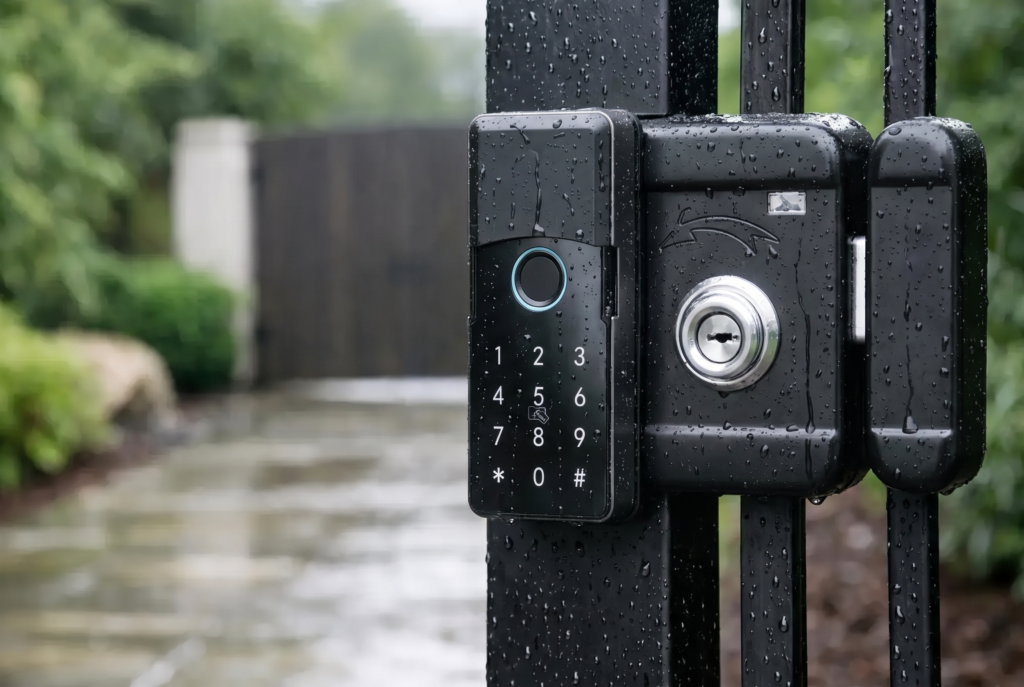
A front gate has different demands from an interior-facing apartment door. It faces rain, humidity, dust, temperature changes, and frequent exposure to the street. A smart gate lock should be designed for outdoor installation and have an appropriate weather-resistance rating for its location.
Check the gate material and structure as carefully as the lock itself. Swing gates, sliding gates, metal grilles, and wooden gates can require different mounting approaches. If the gate is the first point of entry, consider pairing controlled access with a video doorbell viewer. Live viewing, visitor notifications, two-way audio, and recording support can help homeowners verify who is at the entrance before granting access.
For landed homes and properties with a separate gate and door, a coordinated setup is often more practical than treating each entry point independently. The gate may need weather-ready hardware and visitor screening, while the main door may prioritize biometrics, auto-locking, and family access.
What Professional Installation and Support Should Cover
A digital lock is a security device, not merely an electronic accessory. Installation should include compatibility checks, accurate fitting, latch and strike alignment, testing of every access method, and a clear walkthrough of battery replacement and emergency procedures. The installer should also help register fingerprints, configure codes, and confirm that app controls work as expected if the model supports them.
After installation, homeowners need dependable support for questions such as adding a new user, changing a code, replacing batteries, or resolving a connection issue. Warranty coverage and local servicing are part of the ownership decision, especially for a device used several times every day. Genesis Singapore approaches connected access as a complete home-security upgrade, pairing smart-lock hardware with installation, maintenance, and after-sales support.
When comparing models, do not choose by the number of features alone. Consider who enters the home, how often you are away, whether the door or gate is exposed to weather, and how much remote control you will genuinely use. A well-fitted lock with the right access methods will feel less like another device to manage and more like a dependable part of the home.