A connected lock should do more than replace a key. It should make the moments around your front door, gate, and family schedule easier to manage. This smart lock integration guide explains how to build a connected access setup that gives your household practical control without turning home security into a complicated DIY project.
For many homeowners, the best place to start is not with a long list of features. Start with the entry point that causes the most friction: children arriving home before adults, deliveries left at the door, a gate that needs separate access, or a household that is tired of carrying and sharing physical keys. The right integration turns those everyday issues into a clear, manageable access plan.
Smart Lock Integration Guide: Start With Your Entry Points
Every home has a different access layout. A condominium unit may only need a smart mortise lock at the main door, while a landed property may benefit from connected security at both the gate and the main entrance. Installing a premium lock on the door is valuable, but it does not solve the full access journey if visitors still need to call someone to enter through the gate.
Map out each entry point before choosing devices. Consider the main door, side entrance, gate, service door, and any shared access area. Then decide who needs access to each one. Household members may need fingerprint or face-recognition entry every day, while a cleaner, dog walker, contractor, or tenant may only need a temporary passcode or scheduled app access.
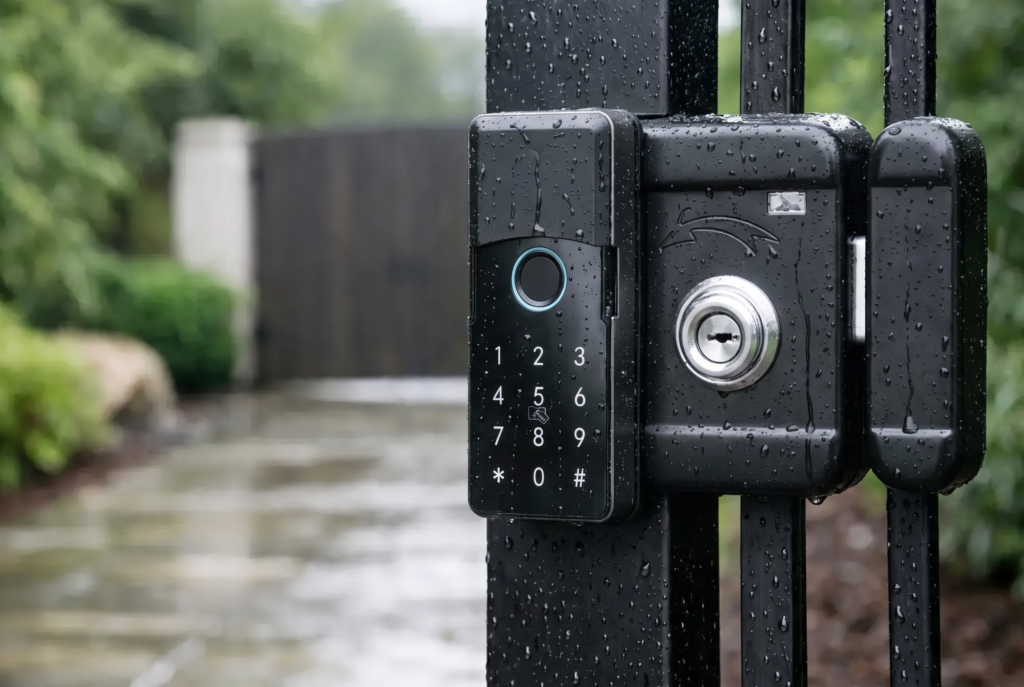
This step also helps you choose the right lock category. A fully automatic mortise lock provides a refined, hands-free experience for a main entrance. A smart lever lock can be a practical choice for compatible interior or secondary doors. For exposed outdoor entrances, a smart gate lock with appropriate weather resistance is the better fit. Hardware should match the door material, lock body, gate structure, and daily usage, not just the look of the device.
Choose One Control Center, Not More Apps
A connected home becomes less convenient when every device requires a separate app, account, and notification setting. Where possible, select locks, video doorbells, and compatible smart-home devices that can be managed from a central platform or a clearly organized family account.
Your access-control app should let you see who entered, issue and remove credentials, receive activity alerts, and manage settings without handing over administrator access to everyone in the household. This is particularly useful for families with older children, caregivers, or frequent service visits.
For a gate and main door setup, it is worth considering how the devices work together in real life. A video doorbell viewer at the gate or entrance can show who has arrived and support two-way communication. The smart lock then provides the controlled entry method once the visitor has been verified. Video confirms who is there; the lock controls whether they can come in. They serve different jobs, and together they create a more complete entry experience.
Voice assistants and home automation platforms can add convenience, but they should be treated carefully. Status checks, lighting scenes, and arrival routines can be useful. Direct voice commands for entry access may not suit every household, especially where privacy or shared spaces are a concern. Security should remain the deciding factor when choosing automation features.
Build a Reliable Home Network
Smart access depends on a stable connection, but not every feature requires the same kind of network setup. Bluetooth may support nearby phone access, while Wi-Fi enables remote control, live notifications, and cloud-connected video functions. Some products use a hub or gateway to improve coverage and reduce strain on your primary network.
Before installation, check the signal strength where the lock or video device will be placed. A router in a distant bedroom can struggle to reach a metal gate, reinforced wall, or exterior entrance. If the connection is weak, a mesh node, access point, or professionally positioned gateway may be more effective than repeatedly reconnecting the device.
Keep smart-security devices on a protected home network with a strong, unique Wi-Fi password. Use multi-factor authentication for the account that controls access whenever it is available. Also make sure recovery email addresses and phone numbers are current. Remote access is convenient only when the account behind it is well protected.
Set Up Access Around Real Household Routines
The most valuable integrations are often simple. A family member can enter using a fingerprint instead of searching for keys. A parent can receive an arrival notification when a child returns from school. A temporary code can be created for a scheduled repair appointment and removed afterward. These are small changes, but they reduce uncertainty around the home.
Avoid creating one shared PIN for everyone. Individual fingerprints, face credentials, app accounts, or unique passcodes provide a clearer activity record and make access easier to adjust later. If a household member loses a phone or a contractor finishes a project, you can remove the specific credential rather than changing access for everyone.
A sensible access structure usually includes permanent credentials for residents, scheduled credentials for recurring helpers, and short-term credentials for guests or service appointments. Landlords and property managers can apply the same approach between tenancies, removing old user access before handing a property to the next resident.
Notifications also deserve some restraint. Door-open alerts, failed verification attempts, tamper warnings, and low-battery notifications can be useful. But if every routine entry produces an urgent alert for every family member, people will stop paying attention. Assign critical alerts to the right household administrator and keep routine activity visible in the app history.
Plan for Power, Privacy, and Backup Entry
Battery-operated smart locks are designed for everyday residential use, but they still need a maintenance plan. Check battery status through the app or lock display, replace batteries before they are critically low, and use the manufacturer-recommended battery type. Do not mix old and new batteries or different battery brands.
A good setup also includes a backup method for entry. Depending on the lock model, this may be emergency power support, a mechanical key override, or another approved access method. Every adult resident should understand the backup process before an urgent situation occurs. Store any physical backup key securely and separately from the front door area.
Biometric data and video records should be handled with the same care as other sensitive household information. Add only the users who truly need access, protect administrator credentials, and discuss camera placement with everyone in the home. For apartment residents, make sure a video device is aimed at your own entry area and does not unnecessarily capture a neighbor’s private space.
Why Professional Installation Makes a Difference
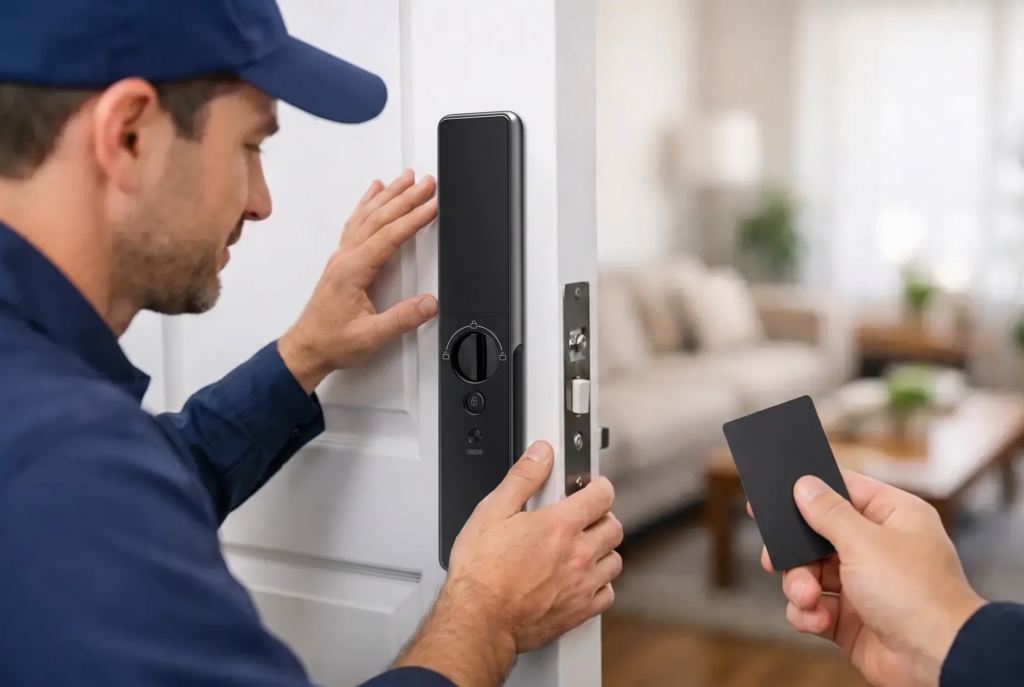
A smart lock can have excellent biometric recognition and app controls, yet still perform poorly if the door alignment, mortise cutout, strike plate, or handle clearance is wrong. Installation is not merely about fitting hardware into a door. It is about ensuring the lock closes correctly, bolts engage consistently, cables are protected, and the device is configured for the property.
Professional setup is especially valuable for metal gates, double-leaf doors, narrow frames, fire-rated doors, and homes combining a gate lock with a main door lock. An experienced installer can assess compatibility before drilling, advise on device placement, and test both physical operation and connected functions after installation.
Genesis Singapore approaches connected access as a complete home-security installation, with product guidance, setup, warranty coverage, and local after-sales support. That full-service approach matters when a homeowner wants dependable daily access rather than another device to troubleshoot alone.
Test the System Before You Rely on It
After installation, run through normal and unusual scenarios. Test fingerprint recognition for each household member, app entry when you are near and away from home, temporary credentials, low-light video viewing, notifications, and backup power procedures. Confirm that the door closes and secures properly every time, including when someone pulls or pushes it slightly out of alignment.
Use this final check to establish a household routine. Decide who manages administrator settings, where backup information is kept, and how quickly temporary credentials should be removed after a visit. A connected lock works best when the technology supports clear habits at home.
The right integration should feel calm, not complicated: your family enters with confidence, visitors are verified before access is granted, and you remain in control whether you are at home or away.