A lock can become a daily frustration long before it becomes a security problem. A parent who is managing arthritis, reduced vision, a walking aid, or a full set of groceries should not have to grip a tiny key, remember a complicated code, or worry about being locked out. The best locks for elderly parents make entering home feel simple, familiar, and secure while giving family members better visibility and practical backup options.
For many families, a modern smart lock is not about adding another device to manage. It is about removing small points of friction from the day. The right setup can replace key searching with a fingerprint, provide a clear way to let in a caregiver, and offer reliable access if a parent needs help.
What Makes a Lock Senior-Friendly?
The best choice depends on your parent’s routines, mobility, and comfort with technology. A feature-packed lock is not automatically the best lock if the primary way of opening it feels confusing. Prioritize the entry method they can use confidently every day, then add app control, video viewing, and other connected features around that core experience.
A senior-friendly lock should have a large, intuitive touch area or handle, clear status indicators, and a quick way to unlock without handling a physical key. It should also have dependable emergency access. Batteries eventually need replacing, Wi-Fi can go offline, and a good home-security plan accounts for both.
Fingerprint access reduces everyday effort
For many older adults, fingerprint access is the most natural keyless option. A registered finger can open the door in a moment, without remembering a PIN or reaching into a bag or pocket. This is especially useful for parents with stiff fingers, limited grip strength, or tremors that make conventional keys difficult to turn.
Look for a biometric lock that can enroll more than one finger per person. Registering two or three fingers gives a practical fallback if one finger is dry, damp, or not read correctly. During installation, take the time to test the fingerprints your parent will actually use, rather than enrolling them quickly and leaving.
Fingerprint readers are highly convenient, but they are not ideal for every household. Some seniors may prefer a PIN because they are uneasy about biometrics, while others may have skin conditions that affect fingerprint recognition. The goal is confidence, not forcing a particular technology.
PIN codes offer a familiar alternative
A keypad smart lock can be an excellent option when your parent is comfortable entering a short code. Choose a lock with an illuminated keypad and numbers that are easy to see in low light. A clear confirmation sound or visual signal also helps reassure users that the door has locked or unlocked.
Avoid making the code too complex. Security matters, but a long code that is repeatedly forgotten creates avoidable stress. A meaningful but private PIN, plus a separate temporary code for a caregiver or trusted visitor, is often a better arrangement. Many smart locks also support anti-peep functions, allowing extra digits before or after the correct PIN so the actual code is harder for someone nearby to observe.
A handle can be easier than a knob
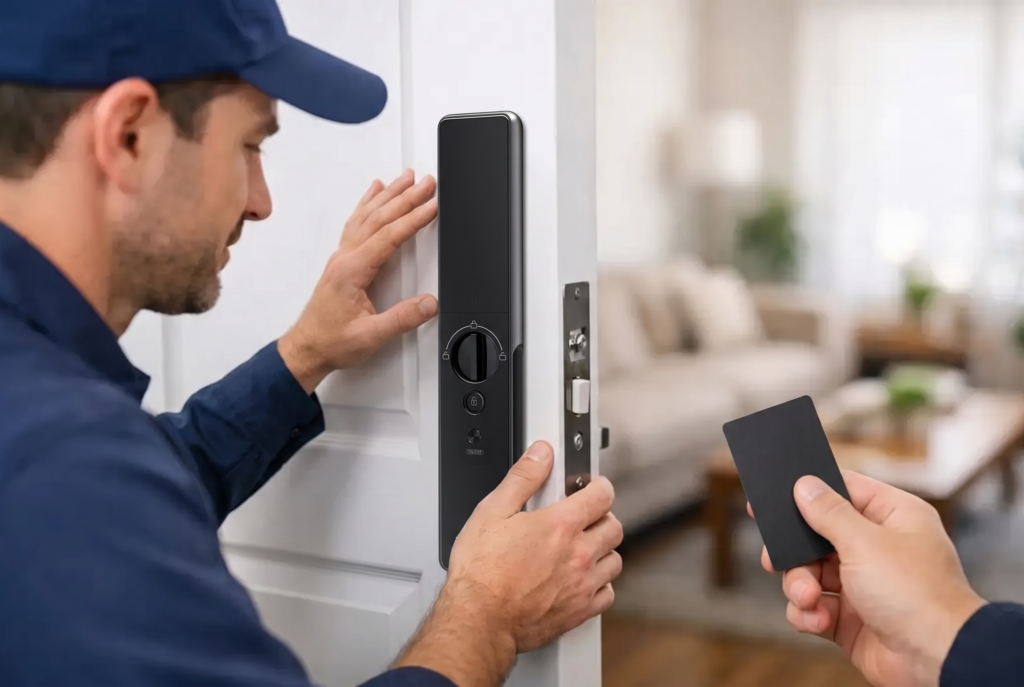
The physical design matters as much as the digital features. Lever-style handles are generally easier to use than round door knobs for people with arthritis or reduced hand strength. A fully automatic mortise lock can make the experience even simpler by releasing the door after successful authentication, reducing the need to turn a handle or operate multiple latches.
Before choosing a lock, consider the door itself. Door thickness, swing direction, existing mortise cutouts, metal gates, and weather exposure all influence which model can be fitted safely. Professional assessment and installation are valuable here. A lock that looks right online may not be the right match for an older door, a narrow frame, or a gate exposed to rain and heat.
Best Locks for Elderly Parents: Features That Matter Most
Rather than focusing only on one opening method, choose a lock with layered access. Your parent may use fingerprint entry every day, while you keep app access for support and a mechanical or emergency-power option for unexpected situations.
The most useful features tend to be:
- Fingerprint recognition for quick, key-free daily entry.
- A backlit keypad as a simple alternative for parents who prefer codes.
- Mobile app access for adult children who may need to check lock activity or open the door remotely.
- Temporary access codes for caregivers, cleaners, medical aides, or visiting relatives.
- Low-battery alerts and an emergency external power connection.
- Auto-lock settings that protect the home if a parent forgets to lock the door.
Auto-lock deserves careful setup. It offers genuine peace of mind, particularly for parents who sometimes leave home in a hurry or forget whether they secured the door. However, the timing should suit their pace. If a parent moves slowly through the doorway, set a delay that does not cause the lock to engage before they have fully entered or exited.
Add Video at the Front Door, Not More Anxiety
A video doorbell viewer can complement a smart lock by helping parents identify visitors without opening the door. This is useful for deliveries, unexpected callers, and times when mobility makes walking to the entrance inconvenient. A clear live view and two-way audio allow a parent or family member to speak with a visitor first.
For adult children who do not live nearby, connected video provides reassurance without becoming intrusive. Use it to support a parent’s independence, not to monitor every movement. Agree on how alerts will be used, who can access the app, and when remote unlocking is appropriate. Trust and clarity are part of a successful smart-home setup.
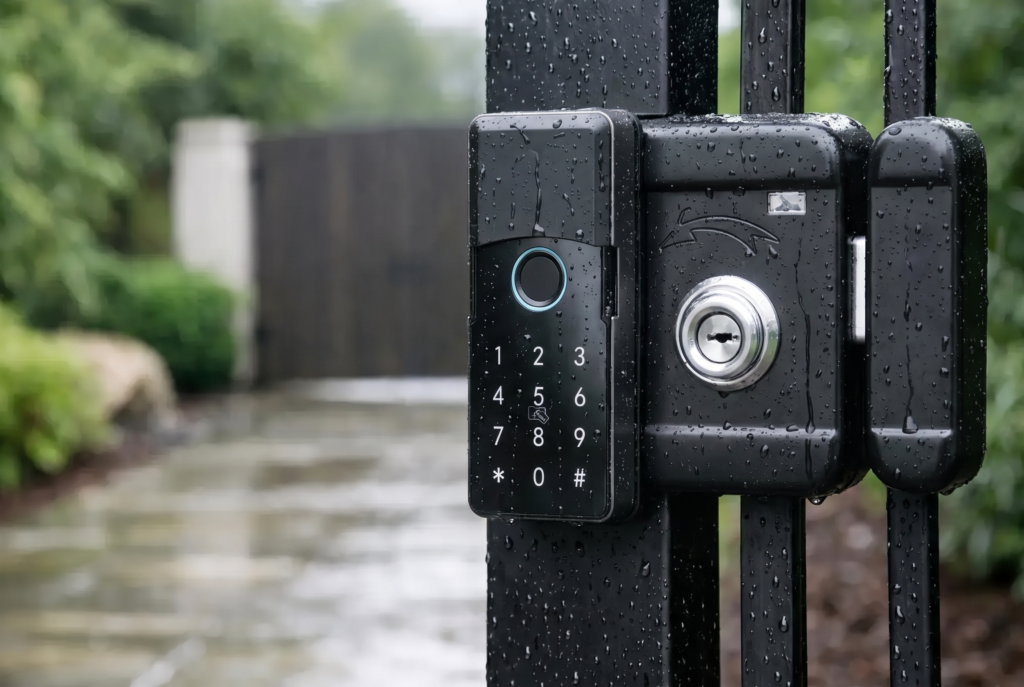
For homes with a separate exterior gate, consider a weather-resistant smart gate lock as part of the access plan. Controlling the gate and main door separately can reduce the chance that a parent needs to walk back and forth to admit an expected visitor. The lock should be selected for outdoor conditions and installed with the gate’s material, alignment, and usage in mind.
Plan for Power, Connectivity, and Emergencies
Smart locks are designed to run on batteries, so they continue operating during a household power outage. Still, battery maintenance should be simple and predictable. Enable low-battery notifications, show your parent what the warning looks or sounds like, and replace batteries promptly rather than waiting for the lock to stop working.
Wi-Fi features are helpful for remote access and notifications, but local entry methods such as fingerprint and PIN should remain the primary routine. That way, a temporary internet issue does not prevent your parent from coming home. Ask the installer to explain the lock’s emergency power procedure and any mechanical override option in plain language.
Families should also make an access plan for urgent situations. This may mean granting a trusted nearby relative app access, creating a time-limited caregiver code, or storing emergency instructions in an agreed location. Do not share a master PIN casually or leave a spare key in an obvious hiding place. Smart access should make emergency support more controlled, not less secure.
Installation and Support Are Part of the Purchase
A smart lock is only as dependable as its fit on the door and the support behind it. Poor alignment can make any lock feel unreliable, while rushed setup can leave parents unsure which method to use. Choose professional installation that includes a demonstration, enrollment of fingerprints, configuration of auto-lock timing, and a clear explanation of battery care.
Genesis Singapore approaches connected access as a complete home-security experience, pairing smart lock options with professional setup and ongoing service support. That service-led approach matters when the lock is intended for someone who needs the home to feel easier to manage, not more technical.
Before the installer leaves, have your parent open and lock the door several times using their preferred method. Test the backup method too. If they hesitate, adjust the setup immediately. The best result is not a lock with the longest feature list. It is a door your parent can secure and open independently, every single day, with family support ready when it is needed.