A front door lock is used more often than almost any other device in a home. It needs to recognize the right people quickly, keep unwanted visitors out, and avoid adding one more task to a busy morning. Learning how to choose biometric locks starts with that everyday reality: the best lock is not simply the one with the longest feature list. It is the one that fits your door, your household, and the way your family comes and goes.
A biometric lock replaces the search for keys with a fingerprint, face scan, passcode, card, or mobile credential. That combination can make entry faster while giving homeowners far more control over who can access the property. Still, biometrics are only one part of a reliable smart-lock decision. Door compatibility, installation quality, backup access, and local support matter just as much.
Start With Your Door and Entry Type
Before comparing fingerprint sensors or app functions, identify where the lock will be installed. A main wooden door, metal security gate, apartment entry door, and outdoor side gate all place different demands on the hardware.
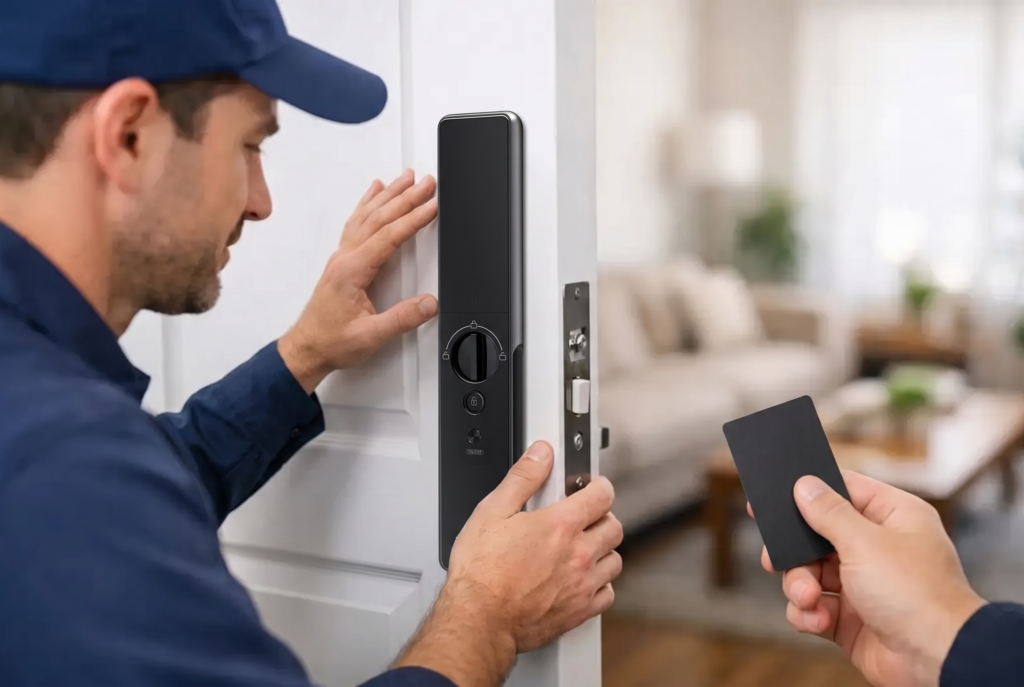
Measure the door thickness and check the existing lock preparation, including the backset, handle orientation, mortise body, and distance between the handle and door frame. A fully automatic mortise lock may be a strong fit for a primary entrance with a compatible mortise cutout, while a smart lever lock can suit doors that use a lever-handle configuration. Selecting the wrong lock category can lead to unnecessary modifications or a finish that does not sit cleanly against the door.
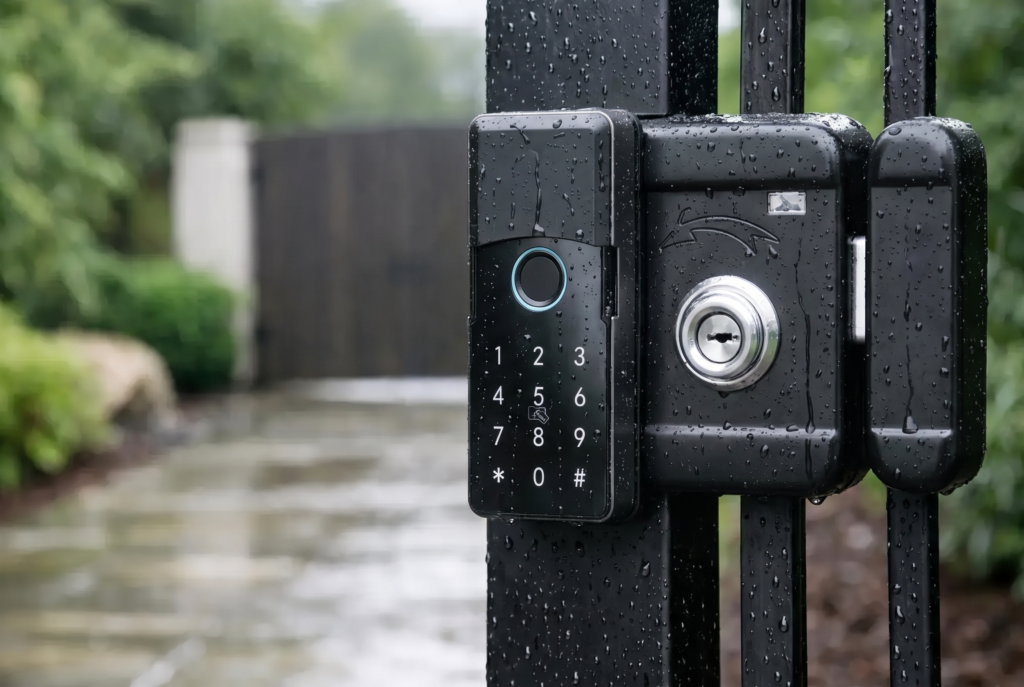
For homes with both a main door and a gate, think about the full arrival experience. A gate lock should be designed for outdoor exposure and frequent use. Look for appropriate weather resistance, durable materials, and a setup that remains practical in rain, heat, and humidity. Indoor-rated hardware should not be treated as a substitute for a purpose-built gate lock.
Professional assessment is particularly valuable for older doors, custom doors, and paired door-and-gate entrances. A correct installation protects the locking mechanism, preserves door alignment, and ensures the latch or bolt closes properly every time.
How to Choose Biometric Locks by Authentication Method
Fingerprint access is the most familiar biometric option, but sensor quality makes a meaningful difference. A responsive sensor should recognize enrolled prints consistently without requiring repeated placement. This matters in households where adults may be carrying groceries, children may be arriving home from school, or older family members prefer an easy, repeatable method of entry.
Ask how many fingerprints the lock can store and whether enrollment is straightforward. Capacity matters if the household includes relatives, caregivers, domestic help, or regular service personnel. The goal is to give each person their own credential rather than sharing a single passcode.
Face-recognition locks offer another level of hands-free convenience. They can be particularly appealing at a main entrance when carrying bags, handling children, or returning home at night. Evaluate how the system confirms a real person rather than an image, how well it performs in varied lighting, and whether its recognition range works naturally for the height of everyone in the household.
A good biometric lock should also provide non-biometric entry methods. A passcode, keycard, mobile app, mechanical key override, or emergency power connection gives your home options when a finger is wet, the battery is low, or a guest needs temporary access. Multiple entry methods are not a compromise in security. They are a practical safeguard against a single point of failure.
Choose the Right Level of Connected Control
Not every homeowner needs the same app features. If your main priority is fast fingerprint entry for family members, a lock with local access management and battery alerts may be enough. If you frequently travel, manage a rental property, or receive visitors while away, Wi-Fi-enabled controls can add real value.
Connected locks can allow you to create time-limited passcodes, review access activity, receive status alerts, and manage selected settings from your phone. Temporary credentials are useful for cleaners, contractors, dog walkers, and visiting relatives because they can be scheduled or removed without collecting physical keys.
Consider how the lock connects. Some models use built-in Wi-Fi, while others rely on a bridge or hub. Built-in Wi-Fi can simplify remote management, but it also places more emphasis on stable home network coverage near the entrance. If your router is far from the door or separated by dense walls, discuss connectivity during installation rather than assuming every smart device will receive the same signal strength.
For a more complete entry system, a video doorbell viewer can complement a biometric lock. Seeing and speaking with a visitor before granting access gives homeowners better context, especially for deliveries and unexpected callers. It is a different layer of protection from the lock itself, and together they support more informed decisions at the door.
Look Beyond Convenience to Physical Security
The biometric reader may be the visible feature, but the lock body does the physical work. Check whether the lock uses a mortise mechanism, deadbolt, or other locking configuration appropriate for your door. A premium smart lock should feel solid in the hand, operate without excessive play, and align correctly with the strike plate.
Also consider what happens if someone attempts to force, tamper with, or repeatedly enter incorrect credentials. Depending on the model, useful protections can include an incorrect-attempt alert, temporary lockout after repeated failures, tamper notification, and a privacy mode that limits outside operation while people are home.
Security is not about collecting every possible feature. A family in a condo may prioritize privacy mode, reliable fingerprint recognition, and app alerts. A landed-home owner with an exposed gate may put weather resistance, strong construction, and remote visitor management first. The right choice depends on the risks and routines at that specific entry point.
Check Battery Design and Backup Entry Before Buying
Most residential biometric locks run on batteries, making them independent of a home’s wiring. Battery-powered operation keeps installation cleaner and can continue during a household power outage. However, homeowners should understand the maintenance routine before the lock is installed.
Look for clear low-battery warnings, whether displayed on the lock, delivered through an app, or both. Battery life varies according to usage, connectivity, temperature, and features such as face recognition or video. A busy household may need replacements more often than a lightly used secondary door.
The backup method deserves equal attention. Many smart locks include an external emergency power port that can temporarily power the unit if internal batteries are depleted. Others include a mechanical key cylinder. Know where these features are located and keep any override key in a secure place outside the home, not inside the locked property.
Match Access Management to Your Household
The advantage of a biometric lock becomes clearer after installation. Instead of wondering who has a copied key, you can assign access by person and remove it when circumstances change. That is especially useful when household staff change, tenants move out, or a child loses a card.
When evaluating models, think through the people who need access now and the people who may need it later. Family members may use fingerprints or face recognition. Visitors may receive a passcode. A contractor might receive a code that works only during a scheduled afternoon. This structure is more secure and easier to manage than a single shared credential.
Do not overlook usability. A lock should be easy enough for every authorized person to operate confidently. If parents, grandparents, and children all use the same entrance, test the height, display visibility, handle movement, and confirmation signals. Advanced technology should reduce friction, not create a new set of instructions at the door.
Treat Installation and Support as Part of the Product
A smart lock is a security device, not just a gadget. Its long-term performance depends on correct fitting, precise alignment, proper setup of credentials, and guidance on battery care and app use. This is why professional installation and dependable after-sales service deserve a place in the buying decision.
At Genesis, the goal is to pair biometric access with a complete residential solution: suitable hardware, experienced setup, warranty coverage, and support after the installation day. That support can be especially reassuring if you are moving into a new property, replacing a damaged conventional lock, or coordinating a door-and-gate upgrade.
Ask what the installation includes, how warranty issues are handled, and whether maintenance support is available. A lower upfront price can become less attractive if the lock is poorly fitted or there is no one to call when settings need attention.
The best biometric lock should feel almost invisible in daily life: your family arrives, the door recognizes them, and you retain clear control over access. Choose a model around your actual door, your household routines, and the support you expect after purchase, and it becomes a practical foundation for a more confident connected home.